×
MindLuster Logo

Learning VMware Horizon 7

Track :

Programming

Lessons no : 8

For Free Certificate After Complete The Course

To Register in Course you have to watch at least 30 Second of any lesson

Join The Course Go To Community Download Course Content
What will you learn in this course?
  • Configure and deploy VMware Horizon 7 for virtual desktop infrastructure (VDI) environments using vSphere
  • Implement vSphere features like snapshots, vMotion, and High Availability within VMware Horizon 7 setups
  • Manage virtual desktops and user profiles effectively in VMware Horizon 7 for optimal performance and security
  • Troubleshoot common issues in VMware Horizon 7 environments to ensure seamless virtual desktop delivery
  • Optimize resource allocation and scalability in VMware Horizon 7 using vSphere tools and best practices
  • Apply security best practices to protect virtual desktops and user data in VMware Horizon 7 environments

How to Get The Certificate

  • You must have an account Register
  • Watch All Lessons
  • Watch at least 50% of Lesson Duration
  • you can follow your course progress From Your Profile
  • You can Register With Any Course For Free
  • The Certificate is free !
Lessons | 8


We Appreciate Your Feedback

Be the First One Review This Course

Excellent
0 Reviews
Good
0 Reviews
medium
0 Reviews
Acceptable
0 Reviews
Not Good
0 Reviews
0
0 Reviews

ayman hamid

Was the good course
2025-05-19

Ali Ahsan

good
2025-04-05

jairo paulus

GOOD
2025-01-02

Pratik Chakraborty

very nice.
2024-12-31

Kunkur Jemkur

OUTSTANDING
2023-08-17

Our New Certified Courses Will Reach You in Our Telegram Channel
Join Our Telegram Channels to Get Best Free Courses


Join Now

Related Courses

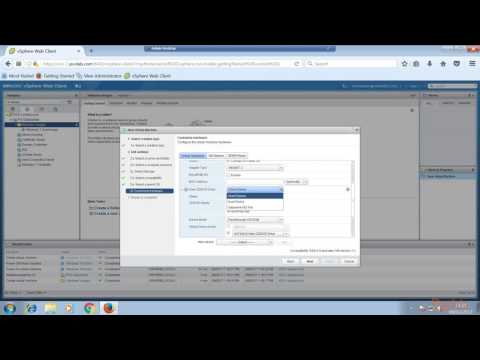
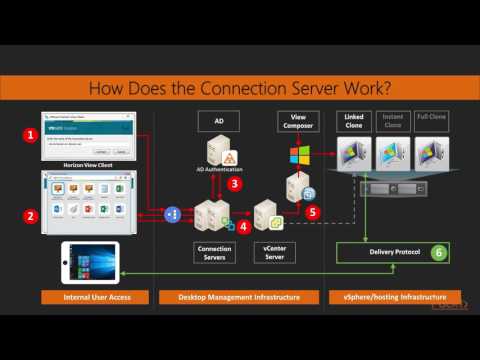
VMware Horizon is based on VMware vSphere and uses the vSphere environment for hosting virtual desktops. User desktops are VMs running on ESXi hosts. Hence, vSphere features such as snapshots, vMotion, High Availability, Distributed Resource Scheduler and others are available .