×
MindLuster Logo

Docker for Cross Platform

Track :

Programming

Lessons no : 6

For Free Certificate After Complete The Course

To Register in Course you have to watch at least 30 Second of any lesson

Join The Course Go To Community Download Course Content
What will you learn in this course?
  • Create cross-platform Docker containers compatible with Linux, Windows, and macOS environments for diverse application deployment
  • Implement Dockerfile best practices to optimize container performance across multiple operating systems
  • Troubleshoot cross-platform Docker container issues using logs, diagnostics, and container management tools
  • Configure Docker environments for seamless integration and consistent behavior on Linux, Windows, and ARM architectures
  • Deploy multi-architecture Docker images to ensure reliable application delivery across different hardware platforms
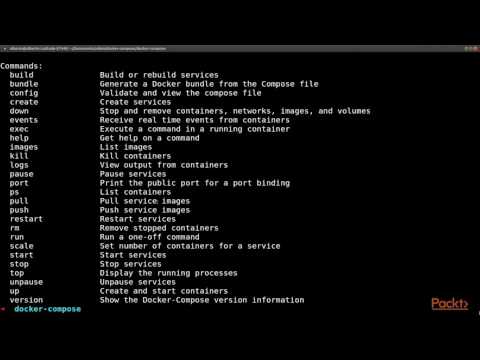
  • Utilize Docker Compose and orchestration tools to manage multi-platform containerized applications efficiently

How to Get The Certificate

  • You must have an account Register
  • Watch All Lessons
  • Watch at least 50% of Lesson Duration
  • you can follow your course progress From Your Profile
  • You can Register With Any Course For Free
  • The Certificate is free !
Lessons | 6


We Appreciate Your Feedback

Be the First One Review This Course

Excellent
0 Reviews
Good
0 Reviews
medium
0 Reviews
Acceptable
0 Reviews
Not Good
0 Reviews
0
0 Reviews

Our New Certified Courses Will Reach You in Our Telegram Channel
Join Our Telegram Channels to Get Best Free Courses


Join Now

Related Courses

You can run both Linux and Windows programs and executables in Docker containers. The Docker platform runs natively on Linux (on x86-64, ARM and many other CPU architectures) and on Windows (x86-64). Docker Inc. builds products that let you build and run containers on Linux, Windows and macOS.