


Fernando Rubiano
good source of information
 (61 reviews)
 5 Lessons
 235 Students
A Jira administrator is a user with the Administer Jira global permission. A project administrator is a user with the Administer projects project permission for a particular project. By default, the 'Administer projects' permission is assigned to the 'administrators' group (via the Administrators role) for projects.
 To Register in Course you have to watch at least 30 Second of any lesson
 Master Jira global administration to optimize workflows, permissions, and project configurations for efficient team collaboration
Configure Jira projects, workflows, and permissions to enhance productivity and ensure secure access control
Troubleshoot common Jira administration issues, including permissions, notifications, and user management challenges
Implement best practices for Jira system maintenance, upgrades, and performance optimization for scalable project management
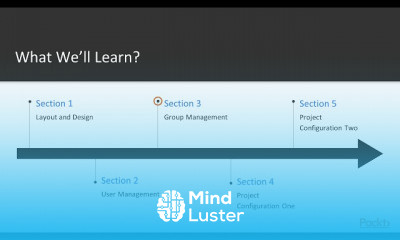
5 Lessons • 37 m total
 You must have an
Account
on the platform.
Complete all lessons.
Watch at least 50% of Lesson Duration.
Get your Certificate free 🎉 !
4.5
(61 reviews)
Overall rating

Be the First One Review This Course
good source of information
It's good
it's is very use full for my career growth
Good
great content
Please add more content in depth
straight forward easy to understand class
Good
Very nice session

its very helpful

good

NICE

A Jira administrator is a user with the Administer Jira global permission. A project administrator is a user with the Administer projects project permission for a particular project. By default, the 'Administer projects' permission is assigned to the 'administrators' group (via the Administrators role) for projects.
Experience the full power of Mindluster with Premium.
No distractions, just pure education.
Cancel your subscription anytime


















