×
MindLuster Logo

Jira 7 or Administrators and Developers

Track :

Programming

Lessons no : 6

For Free Certificate After Complete The Course

To Register in Course you have to watch at least 30 Second of any lesson

Join The Course Go To Community Download Course Content
What will you learn in this course?
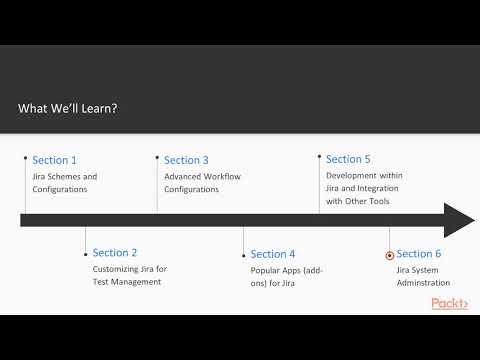
  • Master Jira 7 administration to manage projects, workflows, permissions, and users effectively in enterprise environments
  • Configure Jira settings, schemes, and permissions to optimize project management and team collaboration
  • Troubleshoot common Jira issues, perform system maintenance, and ensure platform stability and security
  • Customize Jira dashboards, filters, and reports to enhance visibility and decision-making for project teams
  • Implement best practices for Jira user management, roles, and permissions to control access and improve security
  • Integrate Jira with other tools and automate workflows to streamline development and project tracking processes

How to Get The Certificate

  • You must have an account Register
  • Watch All Lessons
  • Watch at least 50% of Lesson Duration
  • you can follow your course progress From Your Profile
  • You can Register With Any Course For Free
  • The Certificate is free !
Lessons | 6


We Appreciate Your Feedback

Be the First One Review This Course

Excellent
0 Reviews
Good
0 Reviews
medium
0 Reviews
Acceptable
0 Reviews
Not Good
0 Reviews
0
0 Reviews

shreyash Bhujbal

Nice
2025-08-20

Our New Certified Courses Will Reach You in Our Telegram Channel
Join Our Telegram Channels to Get Best Free Courses


Join Now

Related Courses

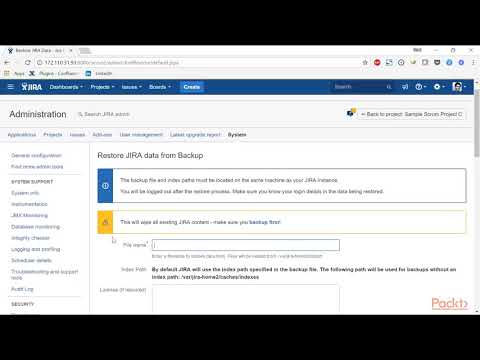
A Jira administrator is a user with the Administer Jira global permission. A project administrator is a user with the Administer projects project permission for a particular project. By default, the 'Administer projects' permission is assigned to the 'administrators' group .