×
MindLuster Logo

Web Development with Angular and Webpack 4

Track :

Programming

Lessons no : 5

For Free Certificate After Complete The Course

To Register in Course you have to watch at least 30 Second of any lesson

Join The Course Go To Community Download Course Content
What will you learn in this course?
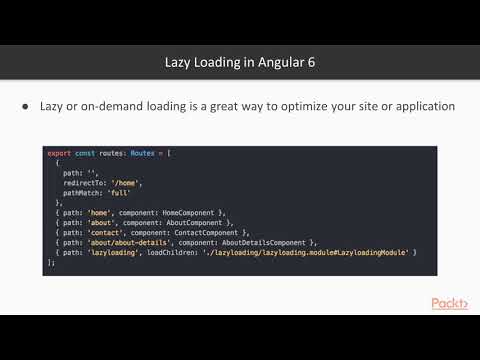
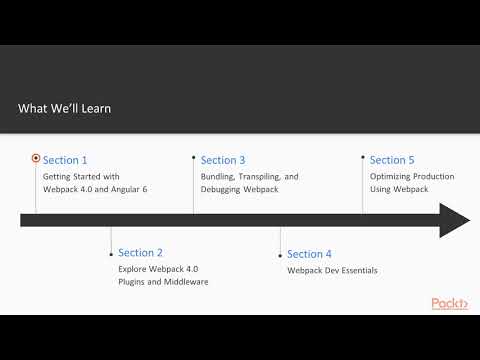
  • Build Angular applications using Webpack 4 for efficient module bundling and optimized performance in modern web development
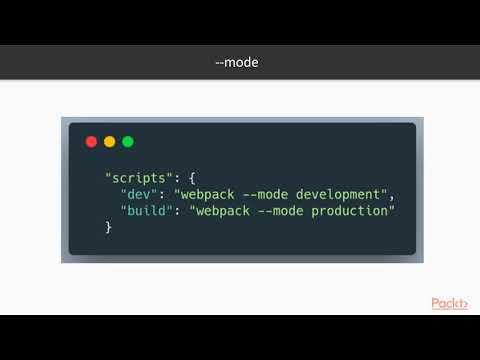
  • Configure Webpack 4 to manage Angular project assets, dependencies, and code splitting effectively
  • Implement best practices for integrating Angular with Webpack 4 to enhance build speed and application scalability
  • Troubleshoot common Webpack 4 and Angular integration issues to ensure smooth development and deployment workflows

How to Get The Certificate

  • You must have an account Register
  • Watch All Lessons
  • Watch at least 50% of Lesson Duration
  • you can follow your course progress From Your Profile
  • You can Register With Any Course For Free
  • The Certificate is free !
Lessons | 5


We Appreciate Your Feedback

Excellent
68 Reviews
Good
66 Reviews
medium
5 Reviews
Acceptable
3 Reviews
Not Good
1 Reviews
4.4
143 Reviews

Mobeen Ahmad 3390

best
2026-05-08

Mujtaba

web development is long course but how you complete its course just in short 5 vidio?
2026-05-06

Sumit Prajapati

this is best
2026-04-20

Harshvardhan Singh

very good
2026-04-19

Kur Jacob Ayuen

It was a wonderful experience
2026-04-11

Braiton omondi

Excellent
2026-04-06

Bismanpreet Singh

very nice
2026-03-29

mahtab alam

superv
2026-03-01

Akash Birajdar

Best
2026-02-28

Raj kumar. R

THANKYOU
2026-02-18

King star

nice
2026-02-13

Umar Shareef

Amazing
2026-02-12

Show More Reviews

Our New Certified Courses Will Reach You in Our Telegram Channel
Join Our Telegram Channels to Get Best Free Courses


Join Now

Related Courses

Create Angular applications with a Webpack based tooling. Webpack is a popular module bundler, a tool for bundling application source code in convenient chunks and for loading that code from a server into a browser. It's an excellent alternative to the SystemJS approach used elsewhere in the documentation.