×
MindLuster Logo

Hands On Android Application Compo

Track :

Programming

Lessons no : 7

For Free Certificate After Complete The Course

To Register in Course you have to watch at least 30 Second of any lesson

Join The Course Go To Community Download Course Content
What will you learn in this course?
  • Design and implement Android user interfaces using Activities, Fragments, and Views for dynamic app layouts
  • Develop interactive Android applications by handling user actions and events effectively
  • Utilize Android Activity lifecycle methods to manage app behavior and optimize performance
  • Create responsive and user-friendly Android app screens with proper layout and view management
  • Integrate multiple Fragments within activities to build modular and flexible Android applications
  • Debug and troubleshoot Android UI components to ensure smooth user experience

How to Get The Certificate

  • You must have an account Register
  • Watch All Lessons
  • Watch at least 50% of Lesson Duration
  • you can follow your course progress From Your Profile
  • You can Register With Any Course For Free
  • The Certificate is free !
Lessons | 7

Recommended Courses


We Appreciate Your Feedback

Be the First One Review This Course

Excellent
0 Reviews
Good
0 Reviews
medium
0 Reviews
Acceptable
0 Reviews
Not Good
0 Reviews
0
0 Reviews

Our New Certified Courses Will Reach You in Our Telegram Channel
Join Our Telegram Channels to Get Best Free Courses


Join Now

Related Courses

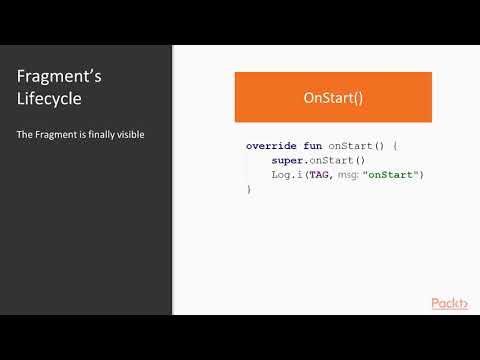
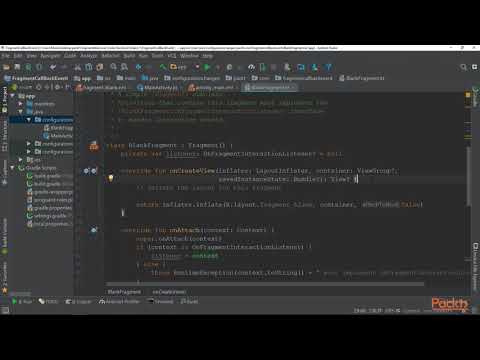
The UI of our application is built around one or more extensions of the Activity class. By using Fragments and Views, activities set the layout and display the output and also respond to the user's actions. An activity is implemented as a subclass of class Activity.