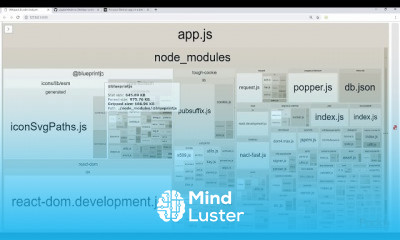
Electron 5 0 Tricks and Techniques Course

 (112 reviews)
-
 6 Lessons
-
 4 Students
- Certificate of completion


So Electron is a way to build desktop applications that run on Mac and Linux and Windows PCs using web technologies. So we don't have to use .
 To Register in Course you have to watch at least 30 Second of any lesson
What You'll Learn
-
 Master Electron 5.0 to develop cross-platform desktop applications with HTML, CSS, JavaScript, and Node.js integration
-
Implement advanced Electron 5.0 features for optimized performance, security, and user experience in desktop apps
-
Utilize Electron 5.0 APIs to create custom menus, notifications, and system integrations for desktop applications
-
Debug and troubleshoot Electron 5.0 applications effectively using built-in tools and best practices
-
Apply Electron 5.0 techniques to package, distribute, and update cross-platform desktop applications seamlessly
-
Enhance Electron 5.0 apps with plugins, extensions, and third-party libraries for added functionality
Course Content
6 Lessons • 57 m total

Implementing Azure Cognitive Services for Vision The Course Overview | packtpub com
Implementing Azure Cognitive Services for Vision Electron Project Setup | packtpub com
Implementing Azure Cognitive Services for Vision A Close Look on the Electron | packtpub com
Implementing Azure Cognitive Services for Vision Your Electron App is Not Secure | packtpub com
Implementing Azure Cognitive Services for Vision VSCode Debugging Environment | packtpub com
How to Get The Certificate
-
You must have an
Account
on the platform.
-
Complete all lessons.
-
Watch at least 50% of Lesson Duration.
-
Get your Certificate free 🎉 !
4.2
(112 reviews)
Overall rating

Reviews
Be the First One Review This Course
Related Courses
View All


















Electron 5 0 Tricks and Techniques Course Description
So Electron is a way to build desktop applications that run on Mac and Linux and Windows PCs using web technologies. So we don't have to use .
Focus on Learning, Not Ads
Experience the full power of Mindluster with Premium.
No distractions, just pure education.
Get Mindluster Premium
Cancel your subscription anytime
