
 11 Lessons
 1 Students


A second screen involves the use of a computing device (commonly a mobile device, such as a smartphone or tablet) to provide an enhanced viewing experience for content on another device, such as a television.
 To Register in Course you have to watch at least 30 Second of any lesson
What You'll Learn
-
 Enhance multimedia engagement by designing seamless dual screen experiences for smartphones, tablets, and televisions using user interface best practices.
-
Implement synchronization techniques to create interactive second screen content for television and streaming platforms.
-
Optimize user interaction and accessibility in dual screen applications to improve viewer engagement and content discovery.
-
Develop strategies for integrating second screen features into live broadcasts, sports events, and entertainment content.
-
Utilize analytics tools to measure user engagement and improve dual screen content effectiveness and viewer retention.
-
Apply multimedia content creation skills to develop compelling, synchronized content for mobile devices and large screens.
-
Troubleshoot technical issues related to latency, connectivity, and device compatibility in dual screen setups.
-
Design user-centered interfaces that enhance navigation, control, and content sharing across multiple screens.
Course Content
11 Lessons • 4 h 1 m total

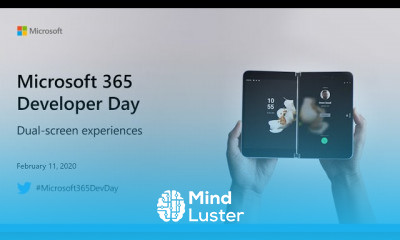
Microsoft 365 Developer Day Dual screen experiences
How to bring your Android apps to Surface Duo
Application security and deployment
How Windows 10X runs UWP and Win32 apps
Getting started with Microsoft Emulator and Windows 10X
How to build dual screen experiences with Windows UI on Windows 10X
Building cross platform experiences using React Native
Dual screen app UX guide
Dual screen devices Microsoft Graph
How to build dual screen experiences for the website and web apps
Cross platform dual screen experiences Xamarin
How to Get The Certificate
-
You must have an
Account
on the platform.
-
Complete all lessons.
-
Watch at least 50% of Lesson Duration.
-
Get your Certificate free 🎉 !
4.6
 (116 reviews)
Overall rating

Reviews
Be the First One Review This Course
Related Courses
View All


















Dual screen experiences Course Description
A second screen involves the use of a computing device (commonly a mobile device, such as a smartphone or tablet) to provide an enhanced viewing experience for content on another device, such as a television.
Focus on Learning, Not Ads
Experience the full power of Mindluster with Premium.
No distractions, just pure education.
Cancel your subscription anytime
