
 4 Lessons
 38 Students



RAVIKUMAR R
Excellent
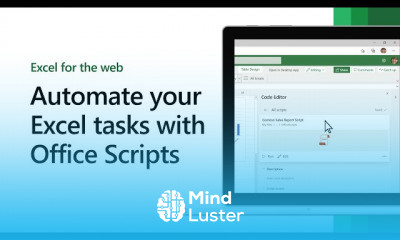
select the Automate tab on the ribbon. This will expose your two primary options in the Scripting Tools group: Record Actions and New Script. To create a new Office Script, press the Record Actions button, then start taking the steps you want to automate .
 To Register in Course you have to watch at least 30 Second of any lesson
 Write and record Office Scripts to automate repetitive Excel tasks efficiently using Office Scripts programming skills
Develop custom Office Scripts to streamline data entry, formatting, and analysis in Excel spreadsheets
Implement Office Scripts to enhance productivity and reduce manual effort in Office 365 applications
Troubleshoot and modify existing Office Scripts to optimize automation workflows in Excel and other Office tools
4 Lessons • 24 m total
You must have an
Account
on the platform.
Complete all lessons.
Watch at least 50% of Lesson Duration.
Get your Certificate free 🎉 !
4.7
 (6 reviews)
Overall rating

Be the First One Review This Course
Excellent
useful and good lecturing

"Thank you so much for providing the free course! I'm truly grateful for the opportunity to learn and grow. The course has been incredibly valuable to me, and I appreciate the effort that went into creating it. Your generosity is appreciated!"

Good
good

Got a basic idea about Office Scripts.

select the Automate tab on the ribbon. This will expose your two primary options in the Scripting Tools group: Record Actions and New Script. To create a new Office Script, press the Record Actions button, then start taking the steps you want to automate .
Experience the full power of Mindluster with Premium.
No distractions, just pure education.
Cancel your subscription anytime


















