×
MindLuster Logo

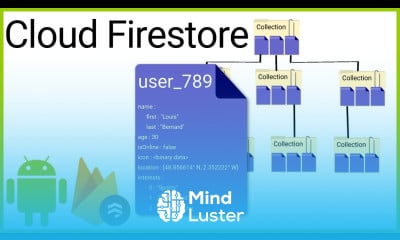
Cloud Firestore Android

Track :

Programming

Lessons no : 18

For Free Certificate After Complete The Course

To Register in Course you have to watch at least 30 Second of any lesson

Join The Course Go To Community Download Course Content
What will you learn in this course?
  • Master how to initialize FirebaseFirestore and connect Android apps to Cloud Firestore database effectively
  • Implement CRUD operations in Android apps using Cloud Firestore for real-time data management
  • Utilize Firestore references and document paths to organize and access data efficiently in Android applications
  • Apply best practices for secure data storage and retrieval in Cloud Firestore within Android development
  • Optimize Firestore queries for performance and scalability in Android apps handling large datasets
  • Integrate Firestore with Android UI components for dynamic, real-time data updates and user interactions
  • Handle Firestore data synchronization and offline capabilities to enhance app reliability and user experience
  • Troubleshoot common Firestore integration issues in Android development for seamless app functionality

How to Get The Certificate

  • You must have an account Register
  • Watch All Lessons
  • Watch at least 50% of Lesson Duration
  • you can follow your course progress From Your Profile
  • You can Register With Any Course For Free
  • The Certificate is free !
Lessons | 18


We Appreciate Your Feedback

Be the First One Review This Course

Excellent
0 Reviews
Good
0 Reviews
medium
0 Reviews
Acceptable
0 Reviews
Not Good
0 Reviews
0
0 Reviews

Our New Certified Courses Will Reach You in Our Telegram Channel
Join Our Telegram Channels to Get Best Free Courses


Join Now

Related Courses

To be able to write to the Firestore database from your Android app, you must first get a reference to it by calling the getInstance() method of the FirebaseFirestore class .