Navigation Android Programming Course

 (42 reviews)
-
 7 Lessons
-
 2 Students
- Certificate of completion


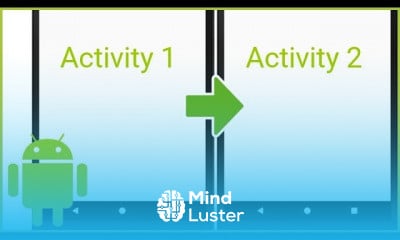
Navigation occurs between your app's destinations—that is, anywhere in your app to which users can navigate. These destinations are connected via actions .
 To Register in Course you have to watch at least 30 Second of any lesson
What You'll Learn
-
 Master how to implement Android app navigation using Jetpack Navigation components and NavController
-
Design intuitive user flows and manage in-app navigation between fragments and activities effectively
-
Utilize deep linking and dynamic navigation to enhance user experience and app flexibility
-
Troubleshoot common navigation issues and optimize app performance during navigation transitions
-
Integrate navigation with app architecture components like ViewModel and LiveData for seamless data handling
-
Apply best practices for maintaining navigation state and handling back stack in complex Android apps
Course Content
7 Lessons • 1 h 7 m total

How to Make a Button Open a New Activity Android Studio Tutorial
How to Add an Up Button to the AppBar Android Studio Tutorial
Tab Layout with Different Fragments Android Studio Tutorial
BottomNavigationView with Fragments Android Studio Tutorial
Navigation Drawer with Fragments Part 1 MENU AND ACTIVITY THEME Android Studio Tutorial
How to Get The Certificate
-
You must have an
Account
on the platform.
-
Complete all lessons.
-
Watch at least 50% of Lesson Duration.
-
Get your Certificate free 🎉 !
4.4
(42 reviews)
Overall rating

Reviews
Be the First One Review This Course
Related Courses
View All


















Navigation Android Programming Course Description
Navigation occurs between your app's destinations—that is, anywhere in your app to which users can navigate. These destinations are connected via actions .
Focus on Learning, Not Ads
Experience the full power of Mindluster with Premium.
No distractions, just pure education.
Get Mindluster Premium
Cancel your subscription anytime
