×
MindLuster Logo

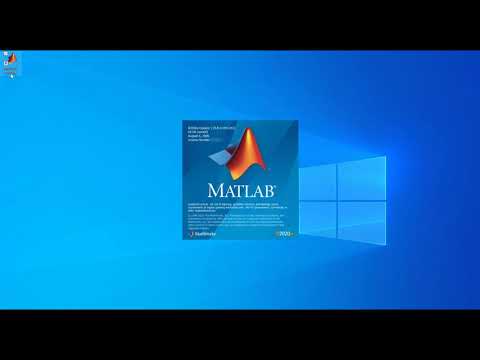
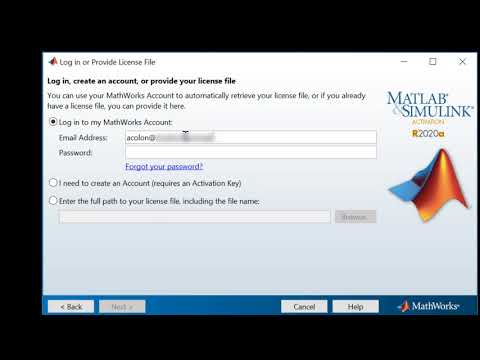
MATLAB Quick License

Track :

Programming

Lessons no : 3

For Free Certificate After Complete The Course

To Register in Course you have to watch at least 30 Second of any lesson

Join The Course Go To Community Download Course Content
What will you learn in this course?
  • Generate MATLAB license numbers using command line and license files for software activation and management
  • Identify methods to obtain MATLAB licenses through prompts and license files for software setup and configuration
  • Explain the process of licensing MATLAB software, including command prompts and license file retrieval for activation
  • Apply MATLAB licensing procedures to ensure proper software activation and compliance for academic or professional use

How to Get The Certificate

  • You must have an account Register
  • Watch All Lessons
  • Watch at least 50% of Lesson Duration
  • you can follow your course progress From Your Profile
  • You can Register With Any Course For Free
  • The Certificate is free !
Lessons | 3


We Appreciate Your Feedback

Excellent
0 Reviews
Good
0 Reviews
medium
0 Reviews
Acceptable
0 Reviews
Not Good
0 Reviews
4.5
12 Reviews

SEBAGENI RICHARD

Nice
2025-10-05

Vamshi S

It's really to me
2025-08-23

Nora_taallah

...
2025-07-30

Madhumitha B

Good
2025-07-11

Saambhavi

NIL
2025-06-15

MDd

.
2025-05-27

Adithyan. K

Good
2025-02-24

Muhammad Hasnain Fareed

It was a v good course
2025-02-16

Dr.Ghvs Sarma

Useful
2024-10-06

Afroz Khan

Thanks
2024-01-05

Adelia Oldiena

Good
2023-11-05

Trupti Sanjay Bhogawade

Good
2023-11-05

Show More Reviews

Our New Certified Courses Will Reach You in Our Telegram Channel
Join Our Telegram Channels to Get Best Free Courses


Join Now

Related Courses

Type ' license ' at the MATLAB prompt to get your license number. You can also obtain your license number from your license file. If MATLAB is not yet installed, contact your MATLAB administrator to obtain your license number.