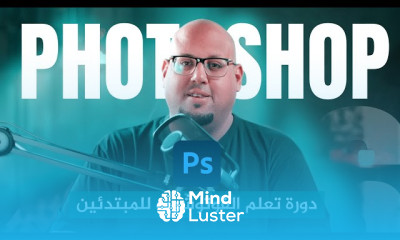
Adobe Photoshop Fundamentals Course

4.1 (7 reviews)
  • 33 Lessons
  • 338 Students
  • Certificate of completion

Adobe Photoshop Fundamentals course in hindi In this course, we'll explore Adobe Photoshop comprehensively, covering essential tools, techniques, and advanced features

To Register in Course you have to watch at least 30 Second of any lesson

What You'll Learn

  • Master essential Adobe Photoshop tools for photo editing, graphic design, and digital art creation
  • Apply layer management, masking, and blending techniques for professional image composition
  • Utilize selection tools and adjustment layers to enhance and retouch photographs effectively
  • Create and manipulate digital artwork using brushes, filters, and advanced editing features
  • Implement color correction, tone adjustment, and image enhancement for high-quality visuals
  • Design compelling graphics, banners, and social media content with Photoshop skills
  • Optimize images for web, print, and multimedia projects ensuring best quality and performance
  • Troubleshoot common Photoshop issues and utilize shortcuts for efficient workflow
  • Integrate Photoshop with other Adobe Creative Cloud applications for seamless creative projects
  • Develop a strong foundation in Photoshop to support advanced digital design and photography skills

Course Content

33 Lessons • 5 h 28 m total

Topic 87 | Understanding the Main Interface of Adobe Photoshop | Graphic Design

8:28

Topic 88 | How to choose a new document in Adobe Photoshop | Graphic Design

8:15

Topic 89 | How to navigate in Adobe Photoshop s main interface | Graphic Design

6:11

Topic 90 | What is the concept of layers in PS Layers Panel in Adobe Photoshop | Graphic Design

8:37

Topic 91 | What is Smart Layers Smart Object in Adobe Photoshop | Graphic Design

12:28

Topic 92 | How to use Move and Transform Tools in Adobe Photoshop | Graphic Design

8:51

Topic 93 | How to use Selection through Marque tool Adobe Photoshop | Graphic Design

10:00

Topic 94 | How to use Lasso Tool Adobe Photoshop | Graphic Design

7:32

Topic 95 | How to use Polygonal Lasso Tool Adobe Photoshop | Graphic Design

8:05

Topic 96 | How to use Magnetic Lasso Tool Adobe Photoshop | Graphic Design

8:03

Topic 97 | How to use Quick Selection and Magic Wand Tool Adobe Photoshop | Graphic Design

12:17

Topic 98 | How to use Crop Tool Adobe Photoshop | Graphic Design

8:49

Topic 99 | How to use Pen Tool in Adobe Photoshop | Graphic Design

7:13

Topic 100 | Technique of Cropping through Pen Tool with path in Adobe Photoshop | Graphic Design

10:51

Topic 101 | How to use Brush Tool in Adobe Photoshop | Graphic Design

11:19

Topic 102 | How to use Eraser Tool in Adobe Photoshop | Graphic Design

12:59

Topic 103 | Photoshop Adjustment Panel | Brightness Contrast Levels Curves | Graphic Design

11:48

Topic 104 | Adobe Photoshop Adjustment Panel | Color Balance HueSaturation | Graphic Design

9:39

Topic 105 | Adobe Photoshop Adjustment Panel | Exposure Vibrance Photo Filter | Graphic Design

9:21

Topic 106 | Software Adobe Photoshop | Spot Healing Brush Tool | Graphic Design

9:40

Topic 107 | Software Adobe Photoshop | Healing Brush Tool | Graphic Design

8:49

Topic 108 | Software Adobe Photoshop | Patch Tool | Graphic Design

9:33

Topic 109 | Software Adobe Photoshop | Clone Stamp Tool | Graphic Design

11:23

Topic 110 | Software Adobe Photoshop | Blur Sharpen Tool and Smudge Tool | Graphic Design

11:43

Topic 111 | Software Adobe Photoshop | Dodge and Burn Tool | Graphic Design

8:21

Topic 112 | Software Adobe Photoshop | Filter Gallery | Graphic Design

11:41

Topic 113 | Software Adobe Photoshop | Third Party Plug in 01 | Graphic Design

11:07

Topic 114 | Software Adobe Photoshop | Third Party Plug in 02 | Graphic Design

9:48

Topic 115 | Software Adobe Photoshop | Third Party Plug in 03 | Graphic Design

8:24

Topic 116 | Software Adobe Photoshop | Liquify Tool | Graphic Design

13:52

Topic 117 | Software Adobe Photoshop | Technique of Layer Mask | Graphic Design

10:43

Topic 118 | Software Adobe Photoshop | Technique of Clipping Mask | Graphic Design

8:47

Topic 119 | Software Adobe Photoshop | Gradients | Graphic Design

13:49

How to Get The Certificate

  • You must have an Account on the platform.
  • Complete all lessons.
  • Watch at least 50% of Lesson Duration.
  • Get your Certificate free 🎉 !

Certificate Example

Mind Luster Certificate Template

4.1 (7 reviews)

Overall rating

  • 5.0 0%
  • 4.0 0%
  • 3.0 0%
  • 2.0 14%
  • 1.0 0%

Reviews

Nabiha Rashid

· 1yr ago

This has been very beneficial for me......

Igor

· 1yr ago

Good for beginners

Dharmendra Kumar sahu

· 2yrs ago

Good experience

अंकित सैनी

· 2yrs ago

nice

sanaullah

· 2yrs ago

good

Prathamesh Bhoir

· 2yrs ago

GOOD

Saeed Ahmad

· 2yrs ago

Very interested course to gain a great knowledge

MAHESWARI.M

· 2yrs ago

Very interested

ridam galik

· 2yrs ago

good

Adobe Photoshop Fundamentals Course Description

Adobe Photoshop Fundamentals course in hindi In this course, we'll explore Adobe Photoshop comprehensively, covering essential tools, techniques, and advanced features

Focus on Learning, Not Ads

Experience the full power of Mindluster with Premium.
No distractions, just pure education.

Get Mindluster Premium

Cancel your subscription anytime
Course Intro