Super
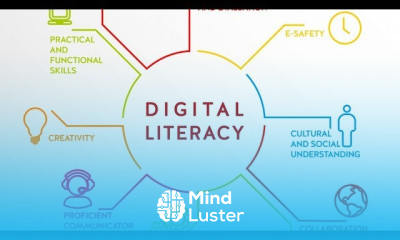
Digital Literacy course in hindi In this course, we will learn essential digital skills, from computer basics to online safety, enabling confident digital navigation
To Register in Course you have to watch at least 30 Second of any lesson
What You'll Learn
-
Master fundamental computer skills including hardware, software, and operating systems for effective digital use
-
Navigate the internet confidently, utilizing search engines, websites, and online resources efficiently
-
Understand and apply online safety practices to protect personal information and digital privacy
-
Identify and avoid common online scams, phishing, and cybersecurity threats effectively
-
Utilize digital communication tools such as email, messaging apps, and social media responsibly
-
Create, edit, and manage digital documents, spreadsheets, and presentations with ease
-
Evaluate the credibility of online information and recognize digital misinformation and fake news
-
Implement basic troubleshooting techniques to resolve common computer and internet issues
-
Use digital tools for online learning, collaboration, and productivity enhancement
-
Develop awareness of digital ethics, responsible online behavior, and data privacy principles
Course Content
35 Lessons • 14 h 0 m total
Topic 1 | Introduction to Computers | Computer Basics | Digital Literacy
Topic 2 | Introduction to Computers Hardware | Digital Literacy
Topic 3 | Introduction to Computers Input Devices Keyboard Basics | Digital Literacy
Topic 4 | Introduction to Computers Other Input Devices | Digital Literacy
Topic 5 | Introduction to Computers Output | What is computer output | Digital Literacy
Topic 6 | Introduction to Computers Software | Digital Literacy
Topic 7 | Introduction to Computers Pointing Devices | Digital Literacy
Topic 8 | Introduction to Computers Storage | Digital Literacy
Topic 9 | Introduction to Computers Internet | Digital Literacy
Topic 10 | Introduction to Computers Computer Security | Digital Literacy
Topic 11 | Using the Computer and Managing Files Introduction | Digital Literacy
Topic 12 | Using the Computer and Managing Files Desktop Environment | Digital Literacy
Topic 13 | Using the Computer and Managing Files Organizing Files | Digital Literacy
Topic 14 | Using the Computer and Managing Files Print Management | Digital Literacy
Topic 15 | Word Processing Introduction | Digital Literacy
Topic 16 | Word Processing Using the Application | Digital Literacy
Topic 17 | How to do Word Processing Formatting in MS word | Digital Literacy
Topic 18 | How to create Word Processing Tables in MS office | Digital Literacy
Topic 20 | Word Processing Mail Merge | Digital Literacy
Topic 19 | Word Processing Preparing Outputs in MS office | Digital Literacy
Topic 21 | Microsoft Excel Introduction | Introduction of MS Excel | Digital Literacy
Topic 22 | How to save an Excel File in MS Excel | Digital Literacy
Topic 23 | Microsoft Excel Creating Complex Formulas | Digital Literacy
Topic 24 | Microsoft Excel Sorting Data | Digital Literacy
Topic 25 | Microsoft PowerPoint Introduction | Digital Literacy
Topic 26 | Microsoft PowerPoint Move Copy or Delete the text | Digital Literacy
Topic 27 | Microsoft PowerPoint Change preset animation effects | Digital Literacy
Topic 28 | Internet Communication Introduction | Digital Literacy
Topic 29 | Internet Communication Web Navigation | Digital Literacy
Topic 30 | Internet and Communication Search Engines | Digital Literacy
Topic 31 | Internet and Communication Email Application | Digital Literacy
Topic 32 | Internet and Communication Electronic Mail | Digital Literacy
Topic 33 | Internet and Communication Mail Management | Digital Literacy
Topic 34 | Internet and Communication Information Security | Digital Literacy
Topic 35 | Internet and Communication Things to Remember | Digital Literacy
How to Get The Certificate
-
You must have an Account on the platform.
-
Complete all lessons.
-
Watch at least 50% of Lesson Duration.
-
Get your Certificate free 🎉 !
4.3
(4 reviews)
Overall rating
Reviews
Be the First One Review This Course
This is super helpful.
woow it is amazing
Good
best
I'm so glad I took this basic computer literacy course! It was helpful in teaching.
Great Course
This is an excellent course, so I would suggest you all to learn it and invite all your friends to watch this course. (Thanks)
Lessons are not taught in English, which makes learning difficult.
Digital Literacy Course Description
Digital Literacy course in hindi In this course, we will learn essential digital skills, from computer basics to online safety, enabling confident digital navigation
Focus on Learning, Not Ads
Experience the full power of Mindluster with Premium.
No distractions, just pure education.
Cancel your subscription anytime
















