32 Lessons
 73 Students


SkyVisio Creations
Very Great Training Course!
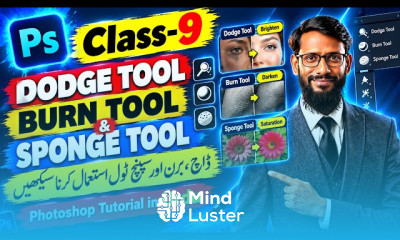
Master Photoshop skills like retouching, dodge & burn, layers, masks, color corrections, and much more in this online photoshop training course.
 To Register in Course you have to watch at least 30 Second of any lesson
 Enhance photo retouching skills using advanced Photoshop tools like layers, masks, and color correction techniques for professional results
Apply dodge and burn techniques to improve image depth, contrast, and visual impact in various photography projects
Create seamless photo composites and manipulate images effectively with precise layer management and masking skills
Perform accurate color corrections to achieve natural skin tones, vibrant colors, and consistent image quality
Utilize selection tools and techniques for precise editing, masking, and background removal in complex images
Develop proficiency in using adjustment layers and filters to enhance image aesthetics and visual storytelling
Implement non-destructive editing workflows to preserve original image quality and facilitate easy revisions
Design compelling graphics and visual effects for digital media, marketing, and creative projects
Troubleshoot common Photoshop issues and optimize workflow efficiency for faster project completion
Build a professional portfolio showcasing diverse Photoshop editing, retouching, and compositing skills
32 Lessons • 7 h 15 m total
 You must have an
Account
on the platform.
Complete all lessons.
Watch at least 50% of Lesson Duration.
Get your Certificate free 🎉 !
4.6
 (197 reviews)
Overall rating

Be the First One Review This Course
Very Great Training Course!

I got a lot of knowledge in ps...way of teaching was so good

he is good teacher thank you

good
VERY Excellent

Thank you. It was magnificent. Learned so much

excellent

Master Photoshop skills like retouching, dodge & burn, layers, masks, color corrections, and much more in this online photoshop training course.
Experience the full power of Mindluster with Premium.
No distractions, just pure education.
Cancel your subscription anytime