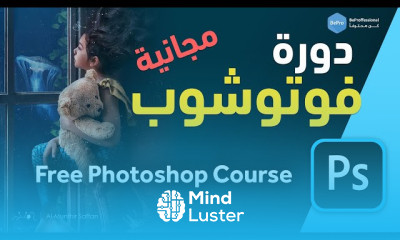

Adobe Photoshop skills for Beginners Course

3.8 (4 reviews)
  • 29 Lessons
  • 524 Students
  • Certificate of completion

Adobe Photoshop skills course in hindi, in this course, Develop proficiency in image editing, graphic design, and creative manipulation using Adobe Photoshop.

To Register in Course you have to watch at least 30 Second of any lesson

What You'll Learn

  • Master basic Adobe Photoshop tools for effective image editing and enhancement in real-world projects
  • Apply layer management techniques to create complex compositions and visual effects efficiently
  • Utilize selection, masking, and retouching tools to improve photo quality and remove imperfections accurately
  • Design compelling graphics and digital artwork suitable for social media, marketing, and personal projects
  • Implement color correction and adjustment techniques to achieve desired visual aesthetics and consistency
  • Create and manipulate text layers for professional-looking typography and branding materials
  • Use filters, blending modes, and effects to add depth, texture, and creative flair to images
  • Optimize images for web and print to ensure high quality and fast loading times
  • Troubleshoot common Photoshop issues and perform non-destructive editing for flexible workflows
  • Develop a strong foundation in Photoshop skills to support advanced design, photography, and digital art endeavors

Course Content

29 Lessons • 11 h 9 m total

Layer Style Blending Option in Photoshop Drop Shadow Part I | Photoshop Tutorial 27

36:47

Layer Style or Blending option in Photoshop Outer Glow Part II | Photoshop Tutorial 28

36:59

What are Layer Styles and Blending Options in Photoshop Pattern Overlay | Adobe Photoshop Tutorial

34:05

How to use Colorful Gradient Overlay Effect in Photoshop | Adobe Photoshop Tutorials

19:37

Color Overlay Change the Color of an Object in Photoshop | Photoshop Tutorials

12:09

Photoshop Me Border Kaise Lagate Hai All About the STROKE Feature | Photoshop Tutorials

18:09

How to Add Use Inner Shadow Effect in Photoshop | Inner Shadow Photoshop Tutorial

19:12

Inner Glow Effect in Adobe Photoshop Shortcut Keys How to Use More | Photoshop Tutorial

13:31

Photoshop Text Masking Effect How to Mask Text on Photoshop | Typography Tutorial

19:49

What is Double Color Exposure Effect in Photoshop | Photoshop for Beginners

8:49

How To Match Fonts From Any Image In Photoshop | Match Font Photoshop Tutorial

12:52

Hue Blend Mode Photoshop How to Color Grade with Hue Blend Mode

10:08

What are all Blending Modes Types Advantages Uses of Blend Mode Tool

21:13

Photoshop Blending Modes How to Blend Layers in Photoshop Normal Modes Explained

7:51

How to Use Dark Blend Mode in Adobe Photoshop Photoshop Blend DARK Effect Tutorial

25:04

How to Use Light Blend Mode in Adobe Photoshop Photoshop Blend Light Effect Tutorial

13:46

How to use Blend Contrast Mode in Photoshop Photoshop Blend Contrast Effect Tutorial

32:30

How to use Blend Comparative Mode in Photoshop Photoshop Blend Comparative Effect Tutorial

23:36

How to use Blend Composite Mode in Photoshop Blend Modes Explained

18:34

How to use Frame Tool in Adobe Photoshop | Photoshop FRAME TOOL Tutorial

34:31

How to use Clone Stamp Tool and Pattern Stamp Tool in Adobe Photoshop

24:32

Learn How to Quickly Smooth Skin Remove Scars and Blemishes in Photoshop | Photoshop Tutorial

43:58

How to use Blur Sharpen Smudge Tool in Adobe Photoshop

22:15

Photoshop Layer Masks How to use Layer Mask in Photoshop for Beginners

39:09

Photoshop WAVE EFFECT Create Water Reflection in Photoshop | Adobe Photoshop Tutorial

6:54

Photoshop Adjustment Layers How to use Multiple Adjustment Layers in Photoshop

27:01

Photoshop Adjustment Layer Brightness Contrast Levels Curves Exposure in Photoshop

43:35

How to Quickly Remove ANYTHING from a Photo in Photoshop Adobe Photoshop Tutorial

3:02

Invert Posterize Threshold Gradient Map Selective Color in Photoshop

40:14

How to Get The Certificate

  • You must have an Account on the platform.
  • Complete all lessons.
  • Watch at least 50% of Lesson Duration.
  • Get your Certificate free 🎉 !

Certificate Example

Mind Luster Certificate Template

3.8 (4 reviews)

Overall rating

  • 5.0 0%
  • 4.0 25%
  • 3.0 0%
  • 2.0 0%
  • 1.0 25%

Reviews

Mahida Khan

· 2mos ago

NICE

Ali Mustafa

· 10mos ago

The course outline is unique and the way to teach is very good and understanding for a new learner

Ritik Bhatnagar

· 2yrs ago

Course was good but only disadvantage is it's not in english.

anshu priya

· 2yrs ago

G00D

Antoine TAKOUDJOU

· 2yrs ago

Not in english nor French

ridam galik

· 2yrs ago

good

razeek thabieh

· 3yrs ago

Its better thing good luck, if you can make it this in English that’s my humble request thankyou

Israr Ahmad

· 3yrs ago

Good

Adobe Photoshop skills for Beginners Course Description

Adobe Photoshop skills course in hindi, in this course, Develop proficiency in image editing, graphic design, and creative manipulation using Adobe Photoshop.

Focus on Learning, Not Ads

Experience the full power of Mindluster with Premium.
No distractions, just pure education.

Get Mindluster Premium

Cancel your subscription anytime
Course Intro