Excellent
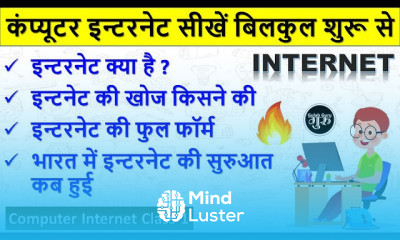
Internet Technologies course in hindi, in this course explore the world of web, protocols, and networks. Master the fundamentals in this comprehensive course.
To Register in Course you have to watch at least 30 Second of any lesson
What You'll Learn
-
Understand fundamental internet technologies including web protocols, networking concepts, and data transmission techniques
-
Navigate and troubleshoot basic internet network setups and configurations effectively
-
Identify key components of the internet infrastructure such as servers, routers, and DNS systems
-
Explain the principles of web development, HTML, and basic website creation in Hindi
-
Apply internet security best practices to protect data and privacy online
-
Utilize common internet tools and services like browsers, email, and cloud storage efficiently
-
Describe the functioning of internet protocols like HTTP, HTTPS, and FTP in real-world scenarios
-
Develop foundational skills for troubleshooting internet connectivity issues and network problems
-
Recognize the role of internet technologies in digital communication, e-commerce, and online education
-
Implement basic internet safety measures to ensure secure online experiences
Course Content
33 Lessons • 7 h 16 m total
Computer Internet Class 1 || इंटरनेट क्या है हिंदी में जानकारी || what is Internet in hindi
Computer Internet Class 2 || कंप्यूटर या लैपटॉप में इन्टरनेट कैसे चलाये || Connect Internet in PC
Computer Internet Class 3 || ब्राउज़र क्या है || Browser Kya hai हिंदी || What is Web Browser
Computer Internet Class 4 Search engine kya hai Website kya hai domain kya hai Hindi Video
Computer Internet Class 5 क्रोम ब्राउज़र का परिचय Chrome All Settings chrome browser
Computer Internet Class 6 || गूगल में सर्च करना सीखें || गूगल से कोई भी जानकरी कैसे सर्च करें
Computer Internet Class 7 | email id kaise banaye | gmail id kaise banaye | how to make email id
Computer Internet Class 8 | ई मेल कैसे भेजते है | email kaise bhejte hai | email kaise bheje
Computer Internet Class 9 | email all settings in hindi | Gmail all setting | email all features
Computer Internet Class 10 || Email All Settings in Hindi Part 2 || Gmail All Settings हिंदी
Computer Internet Class 11 | Word Excel Power Point की फाइल को ई मेल कैसे भेजे | Mail Kaise bheje
Computer Internet Class 12 || Admit card download kaise karen || How to Download Admit Card हिंदी
Computer Internet Class 13 || Internet se photos videos software font download kaise karen
Computer Internet Class 14 || Mobile se emial kaise bhejte hain || email kaise bhejte hai हिंदी
Computer Internet Class 15 || ई मेल id में नाम कैसे बदले || Email ka password kaise pata kare new
Computer Internet Class 16 || irctc account kaise banaye || how to create irctc account
Computer Internet Class 17 || irctc se ticket kaise book kare || train ticket booking online
Computer Internet Class 18 | online form kaise bhare computer seonline form kaise bhare mobile se
Computer Internet Class 19 || ccc form apply online 2023 || ccc ka online form kaise bhare 2023
Computer Internet Class 20 || आय जाति निवास कैसे बनाये || Aay Jaati Nivas kaise banaye gulab guru
Computer Internet Class 21 || आधार कार्ड कैसे डाउनलोड करें || Aadhar card downlaod kaise karen
Computer Internet Class 22 || पैन कार्ड कैसे बनायें फ्री में || Pan Card Kaise Banaye Free Me
Computer Internet Class 23 || फ़ोन से पैसे कैसे भेजते है || Mobile se paise kaise bheje account mein
Computer Internet Class 24 || रिजल्ट कैसे देखें || Result kaise dekhate hai || Result kaise dekhen
Computer Internet Class 25 || आधार का काम कैसे करें || Aadhar card ka kaam kaise shuru kare
Computer Internet Class 26 || Pan card correction kaise kare 2023e pan card signature photo upload
Computer Internet Class 27 || आधार कार्ड से पैसे कैसे निकाले || ऑनलाइन बैंक में खाता कैसे खोले new
Computer Internet Class 28 || राशन कार्ड का काम करना सीखें | Ration card kaise banaye online apply
Computer Internet Class 29 || Google Drive Kaise Use karen | google drive how to use in mobile
Computer Internet Class 30 || ccc certificate kaise download karen || ccc certificate download
Computer Internet Class 31 || amazon se order kaise kare || amazon se shopping kaise kare
Computer Internet Class 32 || Flipkart Se Order Kaise Karen
जन सेवा केंद्र में कौन कौन से काम होते है जानकारी | jan seva kendra me kya kya hota hai
How to Get The Certificate
-
You must have an Account on the platform.
-
Complete all lessons.
-
Watch at least 50% of Lesson Duration.
-
Get your Certificate free 🎉 !
5.0
(1 review)
Overall rating
Reviews
Be the First One Review This Course
Internet Technologies for beginners Course Description
Internet Technologies course in hindi, in this course explore the world of web, protocols, and networks. Master the fundamentals in this comprehensive course.
Focus on Learning, Not Ads
Experience the full power of Mindluster with Premium.
No distractions, just pure education.
Get Mindluster Premium
Cancel your subscription anytime















