
 43 Lessons
 3 Students


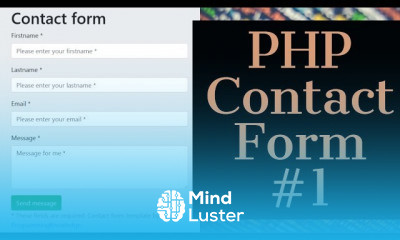
Typically, a contact form has the name, email, subject, and message input fields. The visitors need to fill out these fields and click the submit (or send) button to send a message. In PHP, you can validate the form data and send the entered message to an intended email address .
 To Register in Course you have to watch at least 30 Second of any lesson
What You'll Learn
-
 Create PHP scripts to build dynamic contact forms with validation and security measures
-
Implement server-side PHP validation for contact form inputs including name, email, subject, and message
-
Configure PHP to send emails securely using SMTP protocols and proper headers
-
Troubleshoot common PHP contact form issues related to email delivery and form validation errors
-
Enhance contact form usability with user-friendly input fields and real-time validation feedback
-
Integrate PHP contact forms with databases to store message submissions for future reference
-
Apply best practices for securing PHP contact forms against spam, bots, and malicious attacks
-
Optimize PHP contact forms for mobile responsiveness and accessibility standards
-
Implement CAPTCHA and other anti-spam techniques in PHP contact forms
-
Use PHP to process form data asynchronously with AJAX for improved user experience
-
Customize email templates and notifications generated by PHP contact form submissions
-
Maintain and update PHP contact forms to ensure compatibility with latest PHP versions and security standards
Course Content
43 Lessons • 18 h 5 m total

PHP Tutorial | How to Create A PHP Contact Form with Validation and Email Submit 1
PHP Tutorial | How to Create A PHP Contact Form with Validation and Email Submit 2
PHP Tutorial | How to Create A PHP Contact Form with Validation and Email Submit 3
How To Create a Login Form using PHP and MYSQL Database
How to Create A PHP Contact Form | PHP Tutorial
How to create a Blog using Bootstrap Tutorial
Learn to Build a Custom Component With Angular
Laravel PHP Framework Tutorial Create Contact Form in Laravel
PHP CRUD Create Read Update Delete Tutorial with MySQL Bootstrap 4 PART 1
PHP CRUD Create Read Update Delete Tutorial with MySQL Bootstrap 4 PART 2
PHP CRUD Create Read Update Delete Tutorial with MySQL Bootstrap 4 PART 3
PHP CRUD Create Read Update Delete Tutorial with MySQL Bootstrap 4 PART 4
PHP CRUD Create Read Update Delete Tutorial with MySQL Bootstrap 4 PART 5
PHP CRUD Tutorial with MySQL Bootstrap 4 Create Read Update Delete
How To Create Login Register Form Using PHP MySQL And Bootstrap
How to Deploy Websites using Netlify
Getting started with Materialize | Materialize CSS From Scratch
PHP Laravel Tutorial for Beginners 4 Controllers in Laravel
PHP Laravel Tutorial for Beginners 5 Laravel Blade Templating
PHP Laravel Tutorial for Beginners 6 How to Compile Assets in Laravel
PHP Laravel Tutorial for Beginners 7 Models and Migrations Models Database Migrations
PHP Laravel Tutorial for Beginners 8 Fetching Data Using Eloquent ORM Part 1
PHP Laravel Tutorial for Beginners 9 Fetching Data Using Eloquent ORM Part 2
PHP Laravel Tutorial for Beginners 10 Fetching Data Using Eloquent ORM Part 3
PHP Laravel Tutorial for Beginners 11 Forms and Saving Data Part 1
PHP Laravel Tutorial for Beginners 12 Forms and Saving Data Part 2
PHP Laravel Tutorial for Beginners 13 Update and Delete record from MySQL in Laravel
PHP Laravel Tutorial for Beginners 14 User Authentication
PHP Laravel Tutorial for Beginners 15 Model Relationships
PHP Laravel Tutorial for Beginners 16 How to Add User Access Control
PHP Laravel Tutorial for Beginners 17 Laravel File Upload Example
PHP Laravel Tutorial for Beginners 18 retrieve images from database
PHP Laravel Tutorial for Beginners 19 Finishing File Upload
PHP REST API Tutorial Step By Step 3 Reading records from database PART 1
PHP REST API Tutorial Step By Step 4 Reading records from database PART 2
PHP REST API Tutorial Step By Step 5 Using Postman for API testing
PHP REST API Tutorial Step By Step 6 Create Record
PHP REST API Tutorial Step By Step 7 Create Record Part 2
PHP REST API Tutorial Step By Step 8 Adding updated feature to the PHP REST API
PHP REST API Tutorial Step By Step 9 Adding delete feature to the PHP REST API

How to Get The Certificate
-
You must have an
Account
on the platform.
-
Complete all lessons.
-
Watch at least 50% of Lesson Duration.
-
Get your Certificate free 🎉 !
4.7
 (126 reviews)
Overall rating

Reviews
Be the First One Review This Course
Related Courses
View All


















PHP Contact Course Description
Typically, a contact form has the name, email, subject, and message input fields. The visitors need to fill out these fields and click the submit (or send) button to send a message. In PHP, you can validate the form data and send the entered message to an intended email address .
Focus on Learning, Not Ads
Experience the full power of Mindluster with Premium.
No distractions, just pure education.
Cancel your subscription anytime
