


RAMIRO ANGULO
very good
 (194 reviews)
 14 Lessons
 87 Students
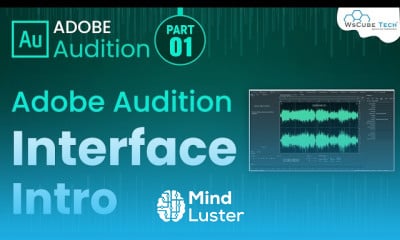
Audio editing in adobe audition course, in this course you'll delve into the fundamentals and advanced techniques of enhancing audio using Adobe Audition. Starting with the basics, you'll learn how to navigate the interface, manipulate audio clips, and apply essential editing tools. As you progress, you'll discover advanced features like noise reduction, pitch correction, and creative sound design methods. Through hands-on exercises and practical projects, you'll gain proficiency in mixing multiple audio tracks, applying effects and filters, and mastering audio for various platforms. Whether you're a beginner or an experienced audio enthusiast, this course will equip you with the skills needed to achieve professional-grade audio productions using Adobe Audition.
 To Register in Course you have to watch at least 30 Second of any lesson
 Master audio editing techniques in Adobe Audition for professional sound quality and clarity
Navigate Adobe Audition interface efficiently for seamless audio workflow and project management
Apply noise reduction, pitch correction, and sound design tools to enhance audio recordings effectively
Mix multiple audio tracks with precision for balanced and dynamic audio productions
Utilize effects, filters, and mastering tools to create polished audio suitable for various platforms
Implement advanced editing features to correct and improve audio recordings creatively
Troubleshoot common audio issues and optimize sound quality using Adobe Audition tools
Create and export high-quality audio projects tailored for podcasts, videos, and multimedia presentations
14 Lessons • 2 h 25 m total
 You must have an
Account
on the platform.
Complete all lessons.
Watch at least 50% of Lesson Duration.
Get your Certificate free 🎉 !
4.3
(194 reviews)
Overall rating

Be the First One Review This Course
very good

very nice

Audio editing in adobe audition course, in this course you'll delve into the fundamentals and advanced techniques of enhancing audio using Adobe Audition. Starting with the basics, you'll learn how to navigate the interface, manipulate audio clips, and apply essential editing tools. As you progress, you'll discover advanced features like noise reduction, pitch correction, and creative sound design methods. Through hands-on exercises and practical projects, you'll gain proficiency in mixing multiple audio tracks, applying effects and filters, and mastering audio for various platforms. Whether you're a beginner or an experienced audio enthusiast, this course will equip you with the skills needed to achieve professional-grade audio productions using Adobe Audition.
Experience the full power of Mindluster with Premium.
No distractions, just pure education.
Cancel your subscription anytime