Excel array formulas essentials Course

 (88 reviews)
-
 17 Lessons
-
 1 Students
- Certificate of completion


Excel array formulas course, in this course we will dive deep into the world of array formulas, starting from the basics and gradually advancing to more complex techniques. Throughout the course, you will learn how to harness the full potential of array formulas to streamline your data analysis and modeling tasks. We will explore various array functions, such as TRANSPOSE, MMULT, and INDEX, and discover how they can be combined with array formulas to manipulate data arrays effectively. You will learn how to create dynamic arrays that automatically adjust in size based on the data they reference, allowing for seamless updates and scalability. We will also cover array formula optimization techniques to enhance performance and efficiency in your Excel workbooks. Whether you're a beginner looking to master the basics or an experienced user seeking to unlock advanced array formula techniques, this course has something for everyone. By the end of the course, you will have the skills and confidence to tackle any data analysis challenge using Excel array formulas. Join us on this exciting journey to unleash the full potential of Excel array formulas!
 To Register in Course you have to watch at least 30 Second of any lesson
What You'll Learn
-
 Master complex data analysis using Excel array formulas and functions like TRANSPOSE, MMULT, and INDEX
-
Create dynamic, scalable arrays that automatically update with changing data in Excel spreadsheets
-
Optimize array formulas for improved performance and efficiency in large data models and workbooks
-
Combine multiple array functions to manipulate and analyze data sets effectively in Excel
-
Develop advanced techniques for building flexible, responsive data models with array formulas
-
Apply array formulas to streamline data manipulation, reduce manual effort, and enhance accuracy
-
Troubleshoot common issues in array formulas to ensure reliable and error-free calculations
-
Implement best practices for designing and maintaining high-performance Excel array formula solutions
Course Content
17 Lessons • 12 m total

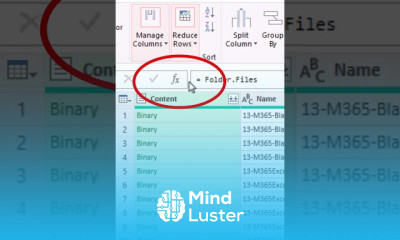
Count Files in Folder Using Excel Power Query Excel Magic Trick Short 01
Format Total Row in Dynamic Spilled Array Conditional Formatting Short Excel Magic Trick 02
Word Replace Feature for Special Characters Replace All Hard Returns with 2 Hard Returns Short
Excel Array Formulas in 1 Minute Short Excel Magic Trick 03
Excel s 1 Most Hidden Trick Insert Picture In Comment Short Excel Magic Trick 04
List Products Sold in Cell for Each Sales Rep with Excel Formula Short Excel Magic Trick 05
Automatic Sequential Numbers Just Pop Up SEQUENCE IF functions Short Excel Magic Trick 06
Convert ISO Dates to Dates with Power Query Excel or Power BI Short Excel Magic Trick 07
Auto Numbers in an Excel Table with a Formula Short Excel Magic Trick 08
1 Keyboard Shortcut in Excel Short Excel Magic Trick 09
Turn Off Excel Table Formulas and Use Cell References Instead Short Excel Magic Trick 10
SUMIF Trick that Beats SUMIFS Short Excel Magic Trick 11
SUMIF Function Trick Single Cell Dynamic Range Short Excel Magic Trick 12
Sort By Last Name using Excel Formula Amazing Solution Short Excel Magic Trick 13
INDEX Function Beats XLOOKUP Short Excel Magic Trick 14
Excel Formulas Sort By Last Name Names My Have Middle Name Short Excel Magic Trick 15
Generate Letters A to Z in Excel Short Excel Magic Trick 16
How to Get The Certificate
-
You must have an
Account
on the platform.
-
Complete all lessons.
-
Watch at least 50% of Lesson Duration.
-
Get your Certificate free 🎉 !
4.5
(88 reviews)
Overall rating

Reviews
Be the First One Review This Course
Related Courses
View All


















Excel array formulas essentials Course Description
Excel array formulas course, in this course we will dive deep into the world of array formulas, starting from the basics and gradually advancing to more complex techniques. Throughout the course, you will learn how to harness the full potential of array formulas to streamline your data analysis and modeling tasks. We will explore various array functions, such as TRANSPOSE, MMULT, and INDEX, and discover how they can be combined with array formulas to manipulate data arrays effectively. You will learn how to create dynamic arrays that automatically adjust in size based on the data they reference, allowing for seamless updates and scalability. We will also cover array formula optimization techniques to enhance performance and efficiency in your Excel workbooks. Whether you're a beginner looking to master the basics or an experienced user seeking to unlock advanced array formula techniques, this course has something for everyone. By the end of the course, you will have the skills and confidence to tackle any data analysis challenge using Excel array formulas. Join us on this exciting journey to unleash the full potential of Excel array formulas!
Focus on Learning, Not Ads
Experience the full power of Mindluster with Premium.
No distractions, just pure education.
Cancel your subscription anytime
