
 7 Lessons
 63 Students


Om Rewaskar
Best teaching
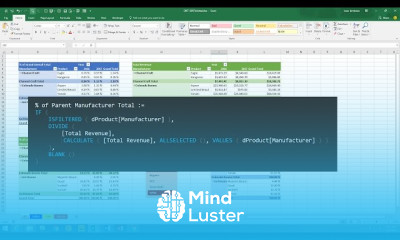
DAX Formulas in Power BI course, in this course you'll embark on a journey to unlock the full potential of your data analysis capabilities. Starting with the basics, you'll explore the intricacies of DAX syntax and functions, understanding how to create powerful calculations and expressions. As you progress, you'll delve into advanced techniques, mastering complex calculations and optimizing performance. Through hands-on tutorials and real-world examples, you'll learn how to leverage DAX Formulas to extract valuable insights, create dynamic reports, and drive data-driven decisions. Whether you're a beginner seeking to understand the fundamentals or an experienced user aiming to refine your skills, this course equips you with the knowledge and confidence to harness the full power of DAX in Power BI. By the end of the course, you'll be able to unleash the potential of your data, transforming it into actionable intelligence that fuels business success.
 To Register in Course you have to watch at least 30 Second of any lesson
 Create complex calculations and expressions using DAX syntax and functions in Power BI
Optimize Power BI report performance with efficient DAX formulas and techniques
Develop dynamic, interactive reports and dashboards leveraging DAX measures and calculated columns
Apply advanced DAX functions to analyze data trends, patterns, and relationships in Power BI
Implement best practices for writing scalable and maintainable DAX formulas in Power BI
Utilize DAX to extract actionable insights and support data-driven decision-making processes
7 Lessons • 1 h 37 m total
 You must have an
Account
on the platform.
Complete all lessons.
Watch at least 50% of Lesson Duration.
Get your Certificate free 🎉 !
4.7
 (27 reviews)
Overall rating

Be the First One Review This Course
Best teaching

-

DAX Formulas in Power BI course, in this course you'll embark on a journey to unlock the full potential of your data analysis capabilities. Starting with the basics, you'll explore the intricacies of DAX syntax and functions, understanding how to create powerful calculations and expressions. As you progress, you'll delve into advanced techniques, mastering complex calculations and optimizing performance. Through hands-on tutorials and real-world examples, you'll learn how to leverage DAX Formulas to extract valuable insights, create dynamic reports, and drive data-driven decisions. Whether you're a beginner seeking to understand the fundamentals or an experienced user aiming to refine your skills, this course equips you with the knowledge and confidence to harness the full power of DAX in Power BI. By the end of the course, you'll be able to unleash the potential of your data, transforming it into actionable intelligence that fuels business success.
Experience the full power of Mindluster with Premium.
No distractions, just pure education.
Cancel your subscription anytime


















