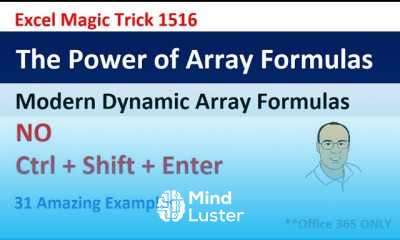
Excel dynamic arrays essentials Course

 (97 reviews)
-
 163 Lessons
-
 1 Students
- Certificate of completion


Excel dynamic arrays course, in this course you'll dive into the powerful features that allow for dynamic and flexible data manipulation within Excel spreadsheets. From understanding the fundamentals of dynamic arrays to mastering advanced techniques, you'll explore how to efficiently handle data sets of varying sizes. Whether you're a beginner or an experienced Excel user, this course will equip you with the skills needed to leverage dynamic arrays effectively for tasks such as sorting, filtering, and performing calculations. Through hands-on exercises and practical examples, you'll gain confidence in harnessing the full potential of Excel dynamic arrays to streamline your workflow and enhance data analysis capabilities.
 To Register in Course you have to watch at least 30 Second of any lesson
What You'll Learn
-
 Create dynamic arrays to efficiently manipulate and analyze large datasets in Excel
-
Implement advanced sorting, filtering, and data transformation techniques using dynamic arrays
-
Utilize functions like SORT, FILTER, UNIQUE, and SEQUENCE to automate data management tasks
-
Design flexible formulas that adapt to changing data sizes and structures in Excel spreadsheets
-
Apply dynamic arrays to streamline data analysis workflows and improve reporting accuracy
-
Troubleshoot common issues related to dynamic array formulas and optimize their performance
-
Integrate dynamic arrays with other Excel features for comprehensive data analysis solutions
-
Enhance productivity by automating repetitive data tasks with dynamic array functions
Course Content
163 Lessons • 20 h 24 m total

Comprehensive Excel Dynamic Array Formula Lesson The Power of Array Formulas EMT 1516
Excel Dynamic Arrays or Mixed Cell References for Cross Tabulated Reports EMT 1518
Excel Dynamic Arrays Backward Compatibility Forward Compatibility What Happens EMT 1519
Excel Dynamic Arrays Fully Dynamic Cross Tabulated Reports Unbelievable EMT 1520
VLOOKUP Step Aside New Epic Lookup Function FILTER Dynamic Array Function EMT 1521
Excel Dynamic Array UNIQUE with INDIRECT To Extract Unique Lists for Each Column EMT 1522
Excel Dynamic Arrays Data Validation List Dropdown Unique Sorted No Blanks EMT 1523
Dynamic Spilled Arrays Show All Formulas For All Columns in Cells as Auditing Trail EMT 1524
Dynamic Array Discussions in excelisfun Community Tab Charts Append Totals Big Data
Excel Dynamic Arrays Conditional Formatting for Spilled Arrays Excel Magic Trick 1525
Excel Dynamic Arrays Cross Tabulated Report Totals Top Left MMULT Array Function EMT 1526
Excel Dynamic Arrays Charts Spilled Arrays in Charts with Defined Names Excel Magic Trick 1527
Excel Dynamic Arrays Fully Dynamic Cross Tabulated Reports With Totals EMT 1528
Excel Dynamic Arrays FILTER Array Function AND OR Logical Tests Excel Magic Trick 1529
Excel Dynamic Arrays Accounting Dynamic Schedule of Accounts Excel Magic Trick 1530
Excel Dynamic Arrays Column of Records into Proper Data Set Excel Magic Trick 1531
VLOOKUP To Get Complete Record ROWS COLUMNS or SEQUENCE Function EMT 1532
Count Products Report Excel DAX Power Query Office 365 Excel Magic Trick 1533
VLOOKUP To Get Complete Record EMT 1532 Part 2 COLUMNS Table Headers or FILTER Function
EMT 1535 Average Daily Revenue SUMIFS with INDIRECT or SEQUENCE Inside AVERAGE
Excel Magic Trick 1539 Extract Daily Sales Records With Formula FILTER Function Dynamic Array
Excel Magic Trick 1540 Extract Unique List of Dates From a Date Time Column
E DAB 03 Excel Spreadsheet Formulas Old School Or Dynamic Arrays
Excel Magic Trick 1544 FILTER Array Function to Filter Between Upper Lower Text Number Limits
Create Random Data Variable Height INDEX RANDARRAY Dynamic Array Function Excel Magic Trick 1545
Unique Invoice Vendor List with Items Listed Horizontally Excel Dynamic Array Formula EMT 1575
Array Formula List All Suppliers by Material in Single Cell with Line Feed Excel Magic Trick 1579
Dynamic Arrays to Increment 1 6 7 12 13 18 SEQUENCE Array Function… Excel Magic Trick 1586
Count Number of Saturdays in Month 5 Different Formulas Excel Magic Trick 1587
Two Lookup Values for Excel Lookup FILTER or INDEX Excel Magic Trick 1590
One Lookup Value Return Multiple Items – The Easy Way with FILTER Excel Magic Trick 1591
Array Formula Filter Rows with List of Does NOT Contain Criteria Excel Magic Trick 1595
Excel XLOOKUP Function – Comprehensive Lessons – 27 Examples Excel Magic Trick 1600
Dynamic Array Old Array Formulas to Create Student Classes Report Excel Magic Trick 1608
Extract Top 5 Values with Names with Dynamic Array Formulas Conditional Formatting – EMT 1610
XLOOKUP or VLOOKUP Dynamic Arrays to Deliver Table of Lookup Values – Excel Magic Trick 1611
MSPTDA 32 Slowly Changing Dimensions Team Employee Report with Worksheet Formulas
Excel Formula for Text Number Label with Lead Zeroes 010 030 030 050 050 070 EMT 1612
Count Unique Days In Each Month PivotTable Array Formula or Dynamic Array EMT 1620
Spilled Array Christmas Tree in Excel Conditional Formatting Christmas Tree Excel Magic Trick 1628

How to Get The Certificate
-
You must have an
Account
on the platform.
-
Complete all lessons.
-
Watch at least 50% of Lesson Duration.
-
Get your Certificate free 🎉 !
4.5
(97 reviews)
Overall rating

Reviews
Be the First One Review This Course
Related Courses
View All


















Excel dynamic arrays essentials Course Description
Excel dynamic arrays course, in this course you'll dive into the powerful features that allow for dynamic and flexible data manipulation within Excel spreadsheets. From understanding the fundamentals of dynamic arrays to mastering advanced techniques, you'll explore how to efficiently handle data sets of varying sizes. Whether you're a beginner or an experienced Excel user, this course will equip you with the skills needed to leverage dynamic arrays effectively for tasks such as sorting, filtering, and performing calculations. Through hands-on exercises and practical examples, you'll gain confidence in harnessing the full potential of Excel dynamic arrays to streamline your workflow and enhance data analysis capabilities.
Focus on Learning, Not Ads
Experience the full power of Mindluster with Premium.
No distractions, just pure education.
Cancel your subscription anytime
