


Shaik Riyaz Hammad
Each topic is explained very clearly
 (138 reviews)
 6 Lessons
 23 Students
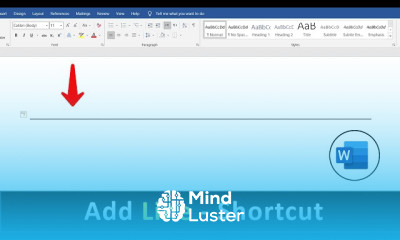
Add Horizontal Line in word course, in this course designed to teach you how to enhance your documents in Microsoft Word by incorporating horizontal lines effectively. Through step-by-step tutorials and practical demonstrations, you'll explore various methods for inserting horizontal lines to divide content, create visual hierarchy, and improve readability. Learn how to insert horizontal lines using the built-in feature in Word, adjust their properties, such as color and thickness, and position them accurately within your document. Whether you're a beginner or an experienced Word user, this course will equip you with the skills to elevate the visual appeal and professionalism of your documents. Join us as we delve into the art of adding horizontal lines in Word and unlock new possibilities for your document design.
 To Register in Course you have to watch at least 30 Second of any lesson
 Insert horizontal lines in Microsoft Word to improve document structure and readability using built-in features and shortcuts
Customize horizontal line properties such as color, thickness, and style for professional document design in Word
Position and align horizontal lines accurately within Word documents to enhance visual hierarchy and content separation
Apply practical techniques to add horizontal lines in various sections of Word documents for better content organization
Utilize keyboard shortcuts and formatting tools to efficiently insert and modify horizontal lines in Word
Enhance document aesthetics by integrating horizontal lines to create clean, organized, and visually appealing layouts
6 Lessons • 3 m total
You must have an
Account
on the platform.
Complete all lessons.
Watch at least 50% of Lesson Duration.
Get your Certificate free 🎉 !
4.1
(138 reviews)
Overall rating

Be the First One Review This Course
Each topic is explained very clearly

Add Horizontal Line in word course, in this course designed to teach you how to enhance your documents in Microsoft Word by incorporating horizontal lines effectively. Through step-by-step tutorials and practical demonstrations, you'll explore various methods for inserting horizontal lines to divide content, create visual hierarchy, and improve readability. Learn how to insert horizontal lines using the built-in feature in Word, adjust their properties, such as color and thickness, and position them accurately within your document. Whether you're a beginner or an experienced Word user, this course will equip you with the skills to elevate the visual appeal and professionalism of your documents. Join us as we delve into the art of adding horizontal lines in Word and unlock new possibilities for your document design.
Experience the full power of Mindluster with Premium.
No distractions, just pure education.
Cancel your subscription anytime


















