

Notaria 038
Excelente información, solo se requiere traducción para otros idiomas.
 (2 reviews)
 289 Lessons
 159 Students
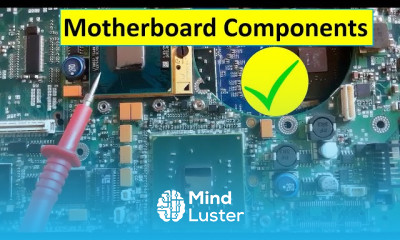
Laptop motherboard components names course, in this course we will delve into the intricate world of laptop motherboard components, unraveling the mystery behind their functions and significance. We'll start by understanding the fundamental components that make up a laptop motherboard, such as the CPU (Central Processing Unit), RAM (Random Access Memory), and GPU (Graphics Processing Unit). Moving forward, we'll explore additional components like the chipset, BIOS (Basic Input/Output System), and power management circuitry. Through detailed explanations and visual aids, you'll gain insight into the roles these components play in the overall functionality of a laptop. Moreover, we'll discuss common issues that can arise with these components and techniques for troubleshooting and repair. By the end of the course, you'll possess a comprehensive understanding of laptop motherboard components, empowering you to navigate and troubleshoot hardware issues with confidence.
 To Register in Course you have to watch at least 30 Second of any lesson
 Identify and describe the functions of key laptop motherboard components including CPU, RAM, and GPU
Explain the roles of chipset, BIOS, and power management circuitry in laptop operation
Recognize common laptop motherboard issues related to components and diagnose hardware failures
Apply troubleshooting techniques to resolve problems with CPU, RAM, GPU, and other motherboard parts
Understand the significance of motherboard components in overall laptop performance and stability
Interpret visual aids and diagrams to accurately identify motherboard components during repair
Differentiate between various types of laptop motherboard components and their specifications
Utilize knowledge of motherboard components to assist in hardware upgrades and replacements
Assess the impact of component failures on laptop functionality and user experience
Implement best practices for safe handling and repair of laptop motherboard components
Explain the process of diagnosing motherboard issues using diagnostic tools and software
Describe the importance of proper power management circuitry in preventing hardware damage
Evaluate the compatibility of different motherboard components for upgrades and repairs
Develop skills to communicate technical motherboard component issues effectively to clients or team members
Apply fundamental knowledge of motherboard components to assemble or disassemble laptops safely
Recognize signs of motherboard component failure through visual inspection and performance symptoms
289 Lessons • 74 h 50 m total

 You must have an
Account
on the platform.
Complete all lessons.
Watch at least 50% of Lesson Duration.
Get your Certificate free 🎉 !
4.0
(2 reviews)
Overall rating

Be the First One Review This Course
Excelente información, solo se requiere traducción para otros idiomas.

most of lesson it's not working please fix it

Laptop motherboard components names course, in this course we will delve into the intricate world of laptop motherboard components, unraveling the mystery behind their functions and significance. We'll start by understanding the fundamental components that make up a laptop motherboard, such as the CPU (Central Processing Unit), RAM (Random Access Memory), and GPU (Graphics Processing Unit). Moving forward, we'll explore additional components like the chipset, BIOS (Basic Input/Output System), and power management circuitry. Through detailed explanations and visual aids, you'll gain insight into the roles these components play in the overall functionality of a laptop. Moreover, we'll discuss common issues that can arise with these components and techniques for troubleshooting and repair. By the end of the course, you'll possess a comprehensive understanding of laptop motherboard components, empowering you to navigate and troubleshoot hardware issues with confidence.
Experience the full power of Mindluster with Premium.
No distractions, just pure education.
Cancel your subscription anytime


















