


Varshini B R
REALLY GOOD
 (114 reviews)
 25 Lessons
 13 Students
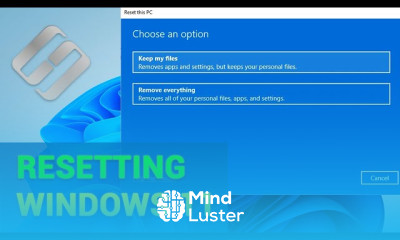
Recover data after resetting windows 11 course, in this course you'll delve into essential strategies and techniques to retrieve lost or deleted data following a system reset in Windows 11. From understanding the intricacies of data recovery tools to mastering advanced methods, you'll gain comprehensive insights into restoring files, folders, and settings effectively. Whether it's recovering documents, media files, or system configurations, this course equips you with the knowledge and skills needed to navigate through the process with confidence. Join us to explore the intricacies of data recovery in the Windows 11 environment and emerge proficient in reclaiming your valuable information post-reset.
 To Register in Course you have to watch at least 30 Second of any lesson
 Master data recovery tools and techniques for Windows 11 to restore lost files after system reset
Identify and recover deleted documents, media files, and system settings in Windows 11 environments
Apply advanced data retrieval methods to recover data efficiently following Windows 11 reset or crash
Navigate Windows 11 recovery options and utilize third-party software for effective data restoration
Implement best practices for safeguarding data during Windows 11 reset and recovery processes
Troubleshoot common data loss issues in Windows 11 and resolve recovery challenges confidently
Utilize backup and restore features in Windows 11 to prevent data loss during system resets
Evaluate different data recovery scenarios to choose appropriate tools and strategies in Windows 11
25 Lessons • 4 h 6 m total
 You must have an
Account
on the platform.
Complete all lessons.
Watch at least 50% of Lesson Duration.
Get your Certificate free 🎉 !
4.4
(114 reviews)
Overall rating

Be the First One Review This Course
REALLY GOOD

Recover data after resetting windows 11 course, in this course you'll delve into essential strategies and techniques to retrieve lost or deleted data following a system reset in Windows 11. From understanding the intricacies of data recovery tools to mastering advanced methods, you'll gain comprehensive insights into restoring files, folders, and settings effectively. Whether it's recovering documents, media files, or system configurations, this course equips you with the knowledge and skills needed to navigate through the process with confidence. Join us to explore the intricacies of data recovery in the Windows 11 environment and emerge proficient in reclaiming your valuable information post-reset.
Experience the full power of Mindluster with Premium.
No distractions, just pure education.
Cancel your subscription anytime


















