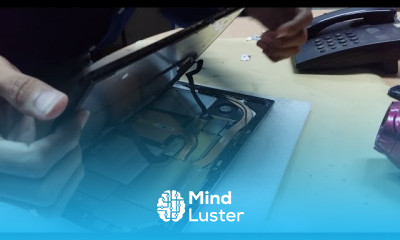
Repairing surface pro 4 no power Course

 (54 reviews)
-
 4 Lessons
-
 2 Students
- Certificate of completion


Repairing surface pro 4 no power course, in this course we'll delve into troubleshooting and fixing issues related to a Surface Pro 4 that won't power on. This comprehensive guide will cover various diagnostic techniques to identify potential causes, such as battery failure, power supply issues, or internal hardware malfunctions. You'll learn step-by-step repair methods, including disassembly of the device, testing components, and replacing faulty parts if necessary. By the end of this course, you'll be equipped with the knowledge and skills needed to effectively diagnose and repair no power issues on the Surface Pro 4, ensuring its functionality and longevity. Let's dive into the intricacies of repairing the Surface Pro 4's no power issue and empower you to tackle this problem with confidence.
 To Register in Course you have to watch at least 30 Second of any lesson
What You'll Learn
-
 Diagnose Surface Pro 4 power issues using advanced troubleshooting techniques and diagnostic tools
-
Replace faulty batteries, power supplies, and internal hardware components to restore device functionality
-
Disassemble and reassemble Surface Pro 4 safely without damaging delicate internal parts
-
Apply practical repair skills to resolve no power problems, ensuring device longevity and optimal performance
Course Content
4 Lessons • 2 h 3 m total

How to Get The Certificate
-
You must have an
Account
on the platform.
-
Complete all lessons.
-
Watch at least 50% of Lesson Duration.
-
Get your Certificate free 🎉 !
4.7
(54 reviews)
Overall rating

Reviews
Be the First One Review This Course
Related Courses
View All


















Repairing surface pro 4 no power Course Description
Repairing surface pro 4 no power course, in this course we'll delve into troubleshooting and fixing issues related to a Surface Pro 4 that won't power on. This comprehensive guide will cover various diagnostic techniques to identify potential causes, such as battery failure, power supply issues, or internal hardware malfunctions. You'll learn step-by-step repair methods, including disassembly of the device, testing components, and replacing faulty parts if necessary. By the end of this course, you'll be equipped with the knowledge and skills needed to effectively diagnose and repair no power issues on the Surface Pro 4, ensuring its functionality and longevity. Let's dive into the intricacies of repairing the Surface Pro 4's no power issue and empower you to tackle this problem with confidence.
Focus on Learning, Not Ads
Experience the full power of Mindluster with Premium.
No distractions, just pure education.
Cancel your subscription anytime
