

Ashenafie Tesgaye
Perfect
 (134 reviews)
 18 Lessons
 126 Students
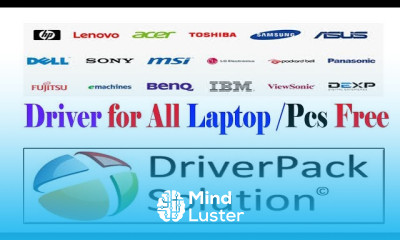
Laptop and computer driver installation course, in this course designed to demystify the process of installing drivers for various hardware components on laptops and computers. From graphics cards to network adapters, sound cards to peripheral devices, drivers are essential software that enable proper functionality of hardware components. In this course, you'll learn the importance of drivers, how to identify missing or outdated drivers, and step-by-step procedures for downloading, installing, and updating drivers effectively. Whether you're a novice computer user or an experienced technician, mastering driver installation is crucial for ensuring optimal performance and compatibility of your devices. Let's dive into the course and start learning about laptop and computer driver installation today.
 To Register in Course you have to watch at least 30 Second of any lesson
 Identify outdated or missing drivers to troubleshoot hardware issues effectively
Download and install drivers for various hardware components including graphics cards, network adapters, and sound cards
Update existing drivers to improve device performance and compatibility with the latest software and hardware
Use device manager tools to manage driver versions, roll back updates, and resolve driver conflicts
Navigate manufacturer websites and driver repositories to find the correct drivers for different laptop and desktop models
Perform driver installation safely to prevent system errors and ensure device stability
Diagnose driver-related hardware problems using troubleshooting techniques and diagnostic tools
Maintain an organized driver management system for efficient updates and hardware support
18 Lessons • 45 m total
 You must have an
Account
on the platform.
Complete all lessons.
Watch at least 50% of Lesson Duration.
Get your Certificate free 🎉 !
4.6
(134 reviews)
Overall rating

Be the First One Review This Course
Perfect

Helpful
t was very good

that is good way to get konwlage
The Course Is actually helpful, Because most of the daily life problems In computing are in there...Kudos to the Organization
Wow amazing

Laptop and computer driver installation course, in this course designed to demystify the process of installing drivers for various hardware components on laptops and computers. From graphics cards to network adapters, sound cards to peripheral devices, drivers are essential software that enable proper functionality of hardware components. In this course, you'll learn the importance of drivers, how to identify missing or outdated drivers, and step-by-step procedures for downloading, installing, and updating drivers effectively. Whether you're a novice computer user or an experienced technician, mastering driver installation is crucial for ensuring optimal performance and compatibility of your devices. Let's dive into the course and start learning about laptop and computer driver installation today.
Experience the full power of Mindluster with Premium.
No distractions, just pure education.
Cancel your subscription anytime


















