×
MindLuster Logo

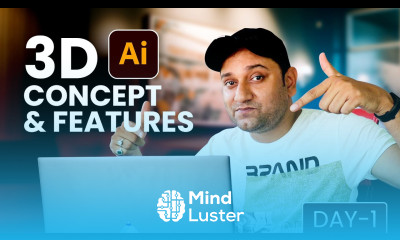
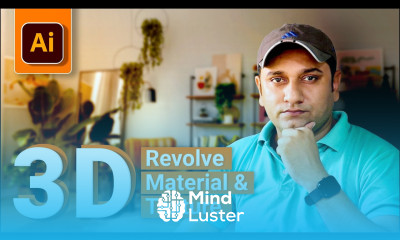
Creating 3D design in illustrator

Track :

Graphic Design

Lessons no : 12

For Free Certificate After Complete The Course

To Register in Course you have to watch at least 30 Second of any lesson

Join The Course Go To Community Download Course Content

What will you learn in this course?
  • Create 3D objects in Adobe Illustrator using Extrude & Bevel, Revolve, and Rotate effects with precision
  • Apply lighting, shading, and gradients to enhance realism in 3D illustrations and artwork
  • Combine multiple shapes and use the Perspective Grid tool for complex 3D design accuracy
  • Add textures and color effects to produce professional, polished 3D graphics and mockups
  • Transform 2D graphics into dynamic 3D designs for product visualization and architectural renderings
  • Utilize advanced techniques to create intricate 3D models for creative projects and branding
  • Implement best practices for manipulating depth, dimension, and perspective in Illustrator 3D design
  • Develop skills to produce eye-catching 3D artwork for marketing, advertising, and digital portfolios

How to Get The Certificate

  • You must have an account Register
  • Watch All Lessons
  • Watch at least 50% of Lesson Duration
  • you can follow your course progress From Your Profile
  • You can Register With Any Course For Free
  • The Certificate is free !
Lessons | 12


We Appreciate Your Feedback

Be the First One Review This Course

Excellent
0 Reviews
Good
0 Reviews
medium
0 Reviews
Acceptable
0 Reviews
Not Good
0 Reviews
0
0 Reviews

Mohammad Shajahan

Good
2024-10-10

Swarali Rao

very good course
2024-07-15

Our New Certified Courses Will Reach You in Our Telegram Channel
Join Our Telegram Channels to Get Best Free Courses

Join Now

Related Courses

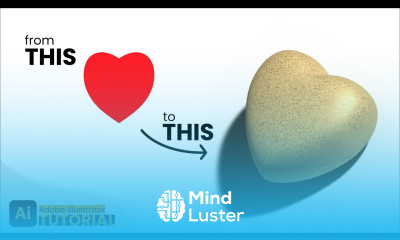
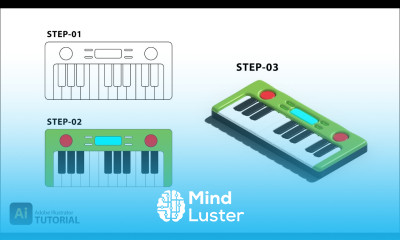
Creating 3D design in illustrator course, in this course you will explore the dynamic capabilities of Adobe Illustrator to create stunning 3D designs. Starting with the basics, this course will guide you through the essential tools and techniques needed to transform flat, 2D graphics into eye-catching 3D artwork. We will begin by familiarizing you with Illustrator's interface and the 3D tools available, including the Extrude & Bevel, Revolve, and Rotate effects. You will learn how to apply these effects to basic shapes, text, and custom paths to create depth and dimension. The course will cover how to manipulate lighting and shading to enhance the realism of your 3D designs, making them stand out with lifelike details. As you progress, you will discover advanced techniques such as creating complex 3D objects by combining multiple shapes and using the Perspective Grid tool to ensure accurate alignment and proportion. You will also learn how to add textures and gradients to your 3D objects, giving them a polished and professional look. Practical exercises will provide hands-on experience, allowing you to apply what you learn to real-world projects such as product mockups, architectural renderings, and abstract 3D art. By the end of this course, you will be proficient in using Adobe Illustrator to create intricate and visually appealing 3D designs.