
 3 Lessons
 23 Students


Ranjani Ranjani
Good
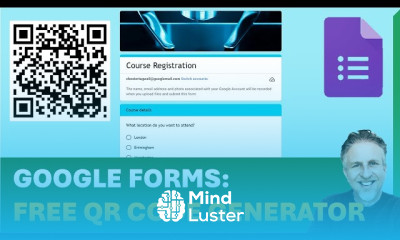
Google Forms QR Code course, in this course we will learn about the Google Forms QR Code. This course offers a detailed guide on how to create and utilize QR codes to simplify access to Google Forms. QR codes are a convenient way to share forms, surveys, and questionnaires without the need for lengthy URLs. The course begins with the basics of generating a QR code for your Google Form, guiding you through step-by-step instructions using free online tools. You will learn how to customize these QR codes to align with your branding and ensure they are easily scannable. The course also covers practical applications, such as using QR codes for event registrations, feedback forms, and data collection in various settings. Additionally, we will explore best practices for distributing QR codes, whether through print materials, digital platforms, or social media, to maximize engagement and response rates. By the end of this course, you will be proficient in creating and implementing Google Forms QR codes, enabling you to streamline your data collection processes and enhance interaction with your audience. This course is ideal for educators, marketers, event organizers, and anyone looking to leverage technology for efficient form distribution and data management.
 To Register in Course you have to watch at least 30 Second of any lesson
 Create customized QR codes for Google Forms to enhance accessibility and user engagement in surveys and data collection
Implement effective strategies for distributing Google Forms QR codes across print, digital, and social media platforms
Utilize free online tools to generate, personalize, and optimize QR codes for branding and scannability purposes
Apply best practices to increase response rates and streamline data collection using Google Forms QR codes
3 Lessons • 14 m total
You must have an
Account
on the platform.
Complete all lessons.
Watch at least 50% of Lesson Duration.
Get your Certificate free 🎉 !
4.3
 (23 reviews)
Overall rating

Be the First One Review This Course
Good

great learning

informative video

good

✓

..

interesting
Brilliant and concise.
good

i learn lot about google form thanks

Google Forms QR Code course, in this course we will learn about the Google Forms QR Code. This course offers a detailed guide on how to create and utilize QR codes to simplify access to Google Forms. QR codes are a convenient way to share forms, surveys, and questionnaires without the need for lengthy URLs. The course begins with the basics of generating a QR code for your Google Form, guiding you through step-by-step instructions using free online tools. You will learn how to customize these QR codes to align with your branding and ensure they are easily scannable. The course also covers practical applications, such as using QR codes for event registrations, feedback forms, and data collection in various settings. Additionally, we will explore best practices for distributing QR codes, whether through print materials, digital platforms, or social media, to maximize engagement and response rates. By the end of this course, you will be proficient in creating and implementing Google Forms QR codes, enabling you to streamline your data collection processes and enhance interaction with your audience. This course is ideal for educators, marketers, event organizers, and anyone looking to leverage technology for efficient form distribution and data management.
Experience the full power of Mindluster with Premium.
No distractions, just pure education.
Cancel your subscription anytime


















