


Syed Ahmad Ali
Very good
 (26 reviews)
 2 Lessons
 60 Students
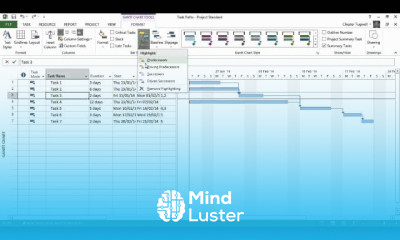
Creating budget resources in MS Project course, in this course we will learn about creating budget resources in MS Project. This course will guide you through the process of setting up and managing financial resources within MS Project to ensure effective budget control and project success. You will learn how to define and allocate budget resources, including labor, materials, equipment, and external services. We will cover the steps to input cost data, assign budget resources to tasks, and monitor expenditures. You will also discover advanced techniques for customizing budget reports and comparing actual costs with planned budgets to identify variances and take corrective actions. Practical examples and hands-on exercises will help you master these skills and apply them to real-world projects. By the end of the course, you will be proficient in creating and managing budget resources in MS Project, enabling you to maintain financial control and ensure your projects stay within budget. This course is ideal for project managers, financial planners, and anyone involved in project budgeting and cost management. Join us to enhance your MS Project skills and achieve better financial oversight in your projects
 To Register in Course you have to watch at least 30 Second of any lesson
 Create and define budget resources including labor, materials, and equipment in MS Project effectively
Assign budget resources accurately to project tasks for optimal cost management
Input and update cost data to monitor project expenditures in MS Project
Generate customized budget reports to analyze variances and support financial decision-making
2 Lessons • 9 m total
You must have an
Account
on the platform.
Complete all lessons.
Watch at least 50% of Lesson Duration.
Get your Certificate free 🎉 !
4.2
(26 reviews)
Overall rating

Be the First One Review This Course
Very good

Good
So amazing
Excellent course

Good application
Good!
Impressive
Excellent
Nice
Nice lessons
Good work

its okay to start with

Creating budget resources in MS Project course, in this course we will learn about creating budget resources in MS Project. This course will guide you through the process of setting up and managing financial resources within MS Project to ensure effective budget control and project success. You will learn how to define and allocate budget resources, including labor, materials, equipment, and external services. We will cover the steps to input cost data, assign budget resources to tasks, and monitor expenditures. You will also discover advanced techniques for customizing budget reports and comparing actual costs with planned budgets to identify variances and take corrective actions. Practical examples and hands-on exercises will help you master these skills and apply them to real-world projects. By the end of the course, you will be proficient in creating and managing budget resources in MS Project, enabling you to maintain financial control and ensure your projects stay within budget. This course is ideal for project managers, financial planners, and anyone involved in project budgeting and cost management. Join us to enhance your MS Project skills and achieve better financial oversight in your projects
Experience the full power of Mindluster with Premium.
No distractions, just pure education.
Cancel your subscription anytime


















