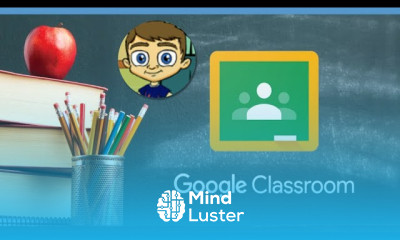
Creating quizzes in google classroom Course

 (95 reviews)
-
 36 Lessons
-
 6 Students
- Certificate of completion


Creating quizzes in google classroom course, in this course we will learn about creating quizzes in Google Classroom. Starting with the basics, you will be guided through the process of setting up your Google Classroom environment to facilitate quiz creation. You will learn how to design various types of quizzes, including multiple-choice, short answer, and essay questions. The course will cover how to use Google Forms to create and customize quizzes, integrate multimedia elements such as images and videos, and set up automatic grading to streamline the assessment process. We will explore advanced features such as quiz branching, which allows for differentiated paths based on student responses, and the use of question banks to create dynamic and varied quizzes. You will also learn how to provide instant feedback to students, enhancing their learning experience. The course will teach you how to analyze quiz results using Google Classroom’s built-in analytics tools to gain insights into student performance and identify areas for improvement. Additionally, the course will cover best practices for securing quizzes to prevent cheating and ensure academic integrity. You will learn how to share quizzes with students, manage quiz submissions, and collaborate with other educators to create comprehensive assessments. By the end of this course, you will be proficient in creating interactive and engaging quizzes that enhance student learning and streamline the assessment process in Google Classroom.
 To Register in Course you have to watch at least 30 Second of any lesson
What You'll Learn
-
 Create engaging quizzes in Google Classroom using Google Forms and multimedia integration
-
Design various question types including multiple-choice, short answer, and essay questions for diverse assessments
-
Utilize Google Forms features to customize quizzes, set automatic grading, and streamline assessment workflows
-
Implement quiz branching and question banks to create dynamic, personalized, and varied assessments
-
Provide instant, actionable feedback to students to enhance learning and improve performance
-
Analyze quiz results with Google Classroom analytics tools to identify student strengths and areas for improvement
-
Apply best practices for securing quizzes to prevent cheating and maintain academic integrity
-
Share, manage, and collaborate on quizzes effectively within Google Classroom environment
Course Content
36 Lessons • 6 h 2 m total

The NEW Google Classroom Full Tutorial
Grading in Google Classroom plus Other New Features 2020 Update
Creating Quizzes in Google Classroom
Easy Screen Recording with Screencastify
Loom Screencast Tool Screen Recording Software
Screencast O Matic Tutorial FREE Screen Recording Tool
Flipgrid Tutorial Creating Video Assignments
Canvas LMS Tutorial Using Modules to Build a Course
Canvas LMS Tutorial Setting the Homepage
Canvas LMS Tutorial Locking and Unlocking Modules
Canvas LMS Creating Custom Navigation Buttons
Canvas LMS Tutorial Canvas Quizzes and Quiz Banks
H5P Tutorial Create Interactives for Your LMS or Website
Web Conferencing Options Zoom Webex and Adobe Connect
Beginner s Guide to Zoom Web Conferencing
Creating Drawing Assignments in Google Classroom
Creating Google Slides Assignments in Google Classroom
Conducting Student Surveys in Google Classroom
The Beginner s Guide to Camtasia
Six Tips for Using Google Classroom
Using Google Meet inside Google Classroom
Integrating Google Classroom with EdPuzzle
Google Jamboard Software Tutorial
Integrating Google Classroom with Quizlet
Google Classroom Providing Effective Feedback
Graphic Organizers in Google Classroom
Create Self Grading Digital Worksheets with Teacher Made then Post them to Google Classroom
Use PowerPoint Completely FREE PowerPoint for Web
Use Text Blaze to Dramatically Improve and Speed Up Your Online Work
Shortcuts to Creating a Microsoft Sway
How to Start Your Own YouTube Channel
New and Improved Quizlet Live and Checkpoint
Gimkit Add Fun Educational Games to Your Classroom
Create Educational Games with TinyTap
ScreenPal Screen Recorder Tutorial
Animate Your Audio Into Awesome Animations with Adobe shorts
How to Get The Certificate
-
You must have an
Account
on the platform.
-
Complete all lessons.
-
Watch at least 50% of Lesson Duration.
-
Get your Certificate free 🎉 !
4.3
(95 reviews)
Overall rating

Reviews
Be the First One Review This Course
Related Courses
View All



Creating quizzes in google classroom Course Description
Creating quizzes in google classroom course, in this course we will learn about creating quizzes in Google Classroom. Starting with the basics, you will be guided through the process of setting up your Google Classroom environment to facilitate quiz creation. You will learn how to design various types of quizzes, including multiple-choice, short answer, and essay questions. The course will cover how to use Google Forms to create and customize quizzes, integrate multimedia elements such as images and videos, and set up automatic grading to streamline the assessment process. We will explore advanced features such as quiz branching, which allows for differentiated paths based on student responses, and the use of question banks to create dynamic and varied quizzes. You will also learn how to provide instant feedback to students, enhancing their learning experience. The course will teach you how to analyze quiz results using Google Classroom’s built-in analytics tools to gain insights into student performance and identify areas for improvement. Additionally, the course will cover best practices for securing quizzes to prevent cheating and ensure academic integrity. You will learn how to share quizzes with students, manage quiz submissions, and collaborate with other educators to create comprehensive assessments. By the end of this course, you will be proficient in creating interactive and engaging quizzes that enhance student learning and streamline the assessment process in Google Classroom.
Focus on Learning, Not Ads
Experience the full power of Mindluster with Premium.
No distractions, just pure education.
Cancel your subscription anytime
