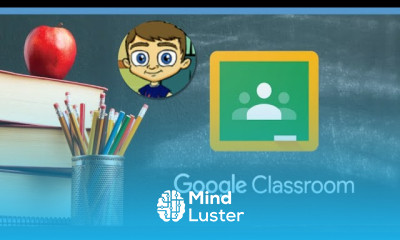
Graphic organizers in google classroom Course

 (125 reviews)
-
 15 Lessons
-
 2 Students
- Certificate of completion


Graphic organizers in google classroom course, in this course we will explore the effective use of graphic organizers in Google Classroom to enhance student learning and engagement. Designed for educators, this course will guide you through the process of creating, sharing, and using graphic organizers to facilitate better understanding and retention of information among students. In this course, we will learn about the graphic organizers in Google Classroom, starting with the basics of setting up your classroom and integrating these visual tools into your curriculum. You will discover how to design custom graphic organizers using tools like Google Drawings and Google Slides, and how to assign them as interactive assignments that students can complete and submit online. We will cover various types of graphic organizers, such as mind maps, Venn diagrams, flow charts, and KWL charts, and discuss their specific applications in different subjects and learning activities. The course will also provide strategies for using graphic organizers to support critical thinking, problem-solving, and creative projects. Additionally, you will learn how to provide real-time feedback and assess student submissions, leveraging Google Classroom’s features to streamline communication and evaluation. By the end of this course, you will be equipped with practical skills and knowledge to effectively incorporate graphic organizers into your teaching practices, making lessons more engaging and comprehensible for students. Join us to master the use of graphic organizers in Google Classroom and enhance your educational toolkit.
 To Register in Course you have to watch at least 30 Second of any lesson
What You'll Learn
-
 Create engaging graphic organizers using Google Drawings and Google Slides for diverse subjects and learning activities
-
Design interactive assignments with graphic organizers like mind maps, Venn diagrams, and flowcharts in Google Classroom
-
Integrate visual tools to enhance student understanding, retention, and critical thinking in various educational contexts
-
Utilize Google Classroom features to assign, collect, and provide real-time feedback on graphic organizer activities
-
Apply graphic organizers to facilitate problem-solving, creative projects, and collaborative learning experiences
-
Customize graphic organizers to align with curriculum goals and support differentiated instruction strategies
-
Assess student submissions effectively using Google Classroom’s grading and feedback tools for graphic organizers
-
Implement best practices for using graphic organizers to increase student engagement and improve learning outcomes
Course Content
15 Lessons • 2 h 21 m total

The NEW Google Classroom Full Tutorial
Grading in Google Classroom plus Other New Features 2020 Update
Creating Quizzes in Google Classroom
Creating Drawing Assignments in Google Classroom
Creating Google Slides Assignments in Google Classroom
Conducting Student Surveys in Google Classroom
Six Tips for Using Google Classroom
Using Google Meet inside Google Classroom
Integrating Google Classroom with EdPuzzle
Integrating Google Classroom with Quizlet
Google Classroom Providing Effective Feedback
Graphic Organizers in Google Classroom
Integrating Google Classroom with Phet Science Simulations
Create Self Grading Digital Worksheets with Teacher Made then Post them to Google Classroom
Use Text Blaze to Dramatically Improve and Speed Up Your Online Work
How to Get The Certificate
-
You must have an
Account
on the platform.
-
Complete all lessons.
-
Watch at least 50% of Lesson Duration.
-
Get your Certificate free 🎉 !
4.6
(125 reviews)
Overall rating

Reviews
Be the First One Review This Course
Related Courses
View All









Graphic organizers in google classroom Course Description
Graphic organizers in google classroom course, in this course we will explore the effective use of graphic organizers in Google Classroom to enhance student learning and engagement. Designed for educators, this course will guide you through the process of creating, sharing, and using graphic organizers to facilitate better understanding and retention of information among students. In this course, we will learn about the graphic organizers in Google Classroom, starting with the basics of setting up your classroom and integrating these visual tools into your curriculum. You will discover how to design custom graphic organizers using tools like Google Drawings and Google Slides, and how to assign them as interactive assignments that students can complete and submit online. We will cover various types of graphic organizers, such as mind maps, Venn diagrams, flow charts, and KWL charts, and discuss their specific applications in different subjects and learning activities. The course will also provide strategies for using graphic organizers to support critical thinking, problem-solving, and creative projects. Additionally, you will learn how to provide real-time feedback and assess student submissions, leveraging Google Classroom’s features to streamline communication and evaluation. By the end of this course, you will be equipped with practical skills and knowledge to effectively incorporate graphic organizers into your teaching practices, making lessons more engaging and comprehensible for students. Join us to master the use of graphic organizers in Google Classroom and enhance your educational toolkit.
Focus on Learning, Not Ads
Experience the full power of Mindluster with Premium.
No distractions, just pure education.
Cancel your subscription anytime
