

Ranjani Ranjani
Good
 (118 reviews)
 3 Lessons
 11 Students
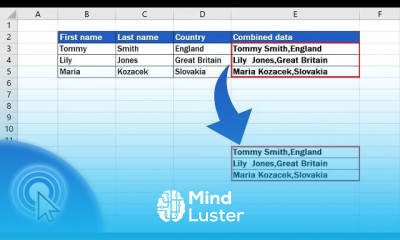
Copying data in excel course, in this course we will learn about the essential techniques and advanced methods for copying data efficiently within Excel. Starting with copying data in Excel, we will explore various methods to transfer data between cells, worksheets, and workbooks. You will understand how to use basic copy and paste commands, along with advanced options like Paste Special to manipulate your data precisely. The course will cover copying formulas, values, and formatting to ensure data integrity and consistency. You will learn how to utilize keyboard shortcuts to speed up your workflow and how to troubleshoot common copy and paste issues. We will also delve into copying data with conditional formatting and data validation to maintain the desired rules and styles. Additionally, we will explore automating data copying using macros and VBA, making repetitive tasks more manageable and efficient. The course will guide you through copying data to PivotTables, charts, and external applications, providing a comprehensive understanding of data handling in Excel. Through practical examples and hands-on exercises, you will gain confidence in using these techniques to enhance your productivity.
 To Register in Course you have to watch at least 30 Second of any lesson
 Master how to efficiently copy data, formulas, and formatting within Excel worksheets and workbooks using basic and advanced techniques
Apply Paste Special options to manipulate data, including values, formulas, and formats, for precise data management
Utilize keyboard shortcuts and automation tools like macros and VBA to streamline repetitive data copying tasks in Excel
Troubleshoot common copying issues, including conditional formatting and data validation, to ensure data integrity and consistency
3 Lessons • 7 m total
You must have an
Account
on the platform.
Complete all lessons.
Watch at least 50% of Lesson Duration.
Get your Certificate free 🎉 !
4.8
(118 reviews)
Overall rating

Be the First One Review This Course
Good

.

Good
..
good

Copying data in excel course, in this course we will learn about the essential techniques and advanced methods for copying data efficiently within Excel. Starting with copying data in Excel, we will explore various methods to transfer data between cells, worksheets, and workbooks. You will understand how to use basic copy and paste commands, along with advanced options like Paste Special to manipulate your data precisely. The course will cover copying formulas, values, and formatting to ensure data integrity and consistency. You will learn how to utilize keyboard shortcuts to speed up your workflow and how to troubleshoot common copy and paste issues. We will also delve into copying data with conditional formatting and data validation to maintain the desired rules and styles. Additionally, we will explore automating data copying using macros and VBA, making repetitive tasks more manageable and efficient. The course will guide you through copying data to PivotTables, charts, and external applications, providing a comprehensive understanding of data handling in Excel. Through practical examples and hands-on exercises, you will gain confidence in using these techniques to enhance your productivity.
Experience the full power of Mindluster with Premium.
No distractions, just pure education.
Cancel your subscription anytime


















