

Ranjani Ranjani
Good
 (8 reviews)
 3 Lessons
 14 Students
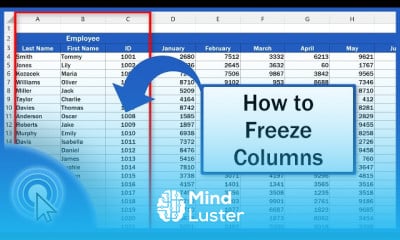
Freezing columns in excel course, in this course we will learn about the powerful feature of freezing columns to enhance data management and navigation within spreadsheets. Starting with freezing columns in Excel, we will explore how to keep specific columns visible while scrolling through large datasets, ensuring important information like headers and key data points remain in view. The course will guide you through the basics of freezing the first column, and then expand to more advanced techniques such as freezing multiple columns and rows simultaneously. You will learn how to use the Freeze Panes option effectively to improve the readability and usability of your spreadsheets. We will cover practical applications of freezing columns, including how to customize the freeze settings for different data sets and how to combine freezing panes with other features like split screens. Additionally, we will troubleshoot common issues that may arise when using Freeze Panes and provide best practices to optimize your workflow. Through hands-on exercises and real-world examples, you will gain the skills needed to manage large spreadsheets with ease. By the end of the course, you will be equipped with the knowledge to apply freezing columns to enhance data analysis and presentation in your Excel work. Whether you are a beginner or looking to refine your skills,
 To Register in Course you have to watch at least 30 Second of any lesson
 Master how to freeze columns in Excel to improve data visibility and navigation in large spreadsheets
Apply techniques to freeze multiple columns and rows simultaneously for better data management
Customize freeze pane settings to suit different datasets and enhance spreadsheet usability
Troubleshoot common issues with freezing columns and optimize workflow for efficient data analysis
3 Lessons • 9 m total
You must have an
Account
on the platform.
Complete all lessons.
Watch at least 50% of Lesson Duration.
Get your Certificate free 🎉 !
4.5
(8 reviews)
Overall rating

Be the First One Review This Course
Good

That's great.

Excellent

GOOD

Excellent

Good
..
Good
Great overview!

Freezing columns in excel course, in this course we will learn about the powerful feature of freezing columns to enhance data management and navigation within spreadsheets. Starting with freezing columns in Excel, we will explore how to keep specific columns visible while scrolling through large datasets, ensuring important information like headers and key data points remain in view. The course will guide you through the basics of freezing the first column, and then expand to more advanced techniques such as freezing multiple columns and rows simultaneously. You will learn how to use the Freeze Panes option effectively to improve the readability and usability of your spreadsheets. We will cover practical applications of freezing columns, including how to customize the freeze settings for different data sets and how to combine freezing panes with other features like split screens. Additionally, we will troubleshoot common issues that may arise when using Freeze Panes and provide best practices to optimize your workflow. Through hands-on exercises and real-world examples, you will gain the skills needed to manage large spreadsheets with ease. By the end of the course, you will be equipped with the knowledge to apply freezing columns to enhance data analysis and presentation in your Excel work. Whether you are a beginner or looking to refine your skills,
Experience the full power of Mindluster with Premium.
No distractions, just pure education.
Cancel your subscription anytime


















