

Ranjani Ranjani
Nice
 (125 reviews)
 4 Lessons
 9 Students
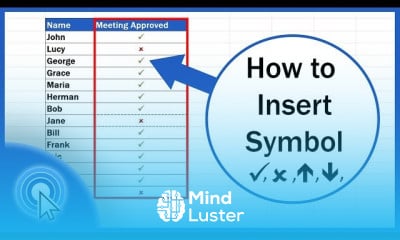
Inserting symbols in excel course, in this course we will learn about inserting symbols in Excel, a vital skill for enhancing the clarity and visual appeal of your spreadsheets. Inserting symbols can help you convey information more effectively, whether it's for data representation, annotation, or improving the overall aesthetics of your work. You will start by exploring the basic methods of inserting symbols using the Symbol dialog box, where you can choose from a wide range of special characters, currency symbols, and mathematical notations. The course will then guide you through using the CHAR function to insert symbols programmatically and leveraging Unicode to access an extensive array of symbols. You will also learn how to incorporate symbols into formulas, charts, and conditional formatting to create more informative and visually appealing reports. Hands-on exercises will provide practical experience in applying these techniques, ensuring you can effectively use symbols to enhance your data presentations. By the end of this course, you will be proficient in inserting and using symbols in Excel, enabling you to create well-organized, visually engaging, and professional-looking spreadsheets. Whether you are a beginner or looking to refine your skills, this course will equip you with the knowledge and tools to master symbol insertion in Excel, ultimately improving your productivity and the impact of your data presentations.
 To Register in Course you have to watch at least 30 Second of any lesson
 Master inserting symbols using the Symbol dialog box for clear data presentation and visual appeal in Excel
Apply the CHAR function and Unicode to programmatically insert and customize symbols in spreadsheets
Integrate symbols into formulas, charts, and conditional formatting to enhance report informativeness and aesthetics
Utilize symbols effectively to create professional, organized, and visually engaging Excel spreadsheets
4 Lessons • 9 m total
You must have an
Account
on the platform.
Complete all lessons.
Watch at least 50% of Lesson Duration.
Get your Certificate free 🎉 !
4.6
(125 reviews)
Overall rating

Be the First One Review This Course
Nice

Great Course!

Inserting symbols in excel course, in this course we will learn about inserting symbols in Excel, a vital skill for enhancing the clarity and visual appeal of your spreadsheets. Inserting symbols can help you convey information more effectively, whether it's for data representation, annotation, or improving the overall aesthetics of your work. You will start by exploring the basic methods of inserting symbols using the Symbol dialog box, where you can choose from a wide range of special characters, currency symbols, and mathematical notations. The course will then guide you through using the CHAR function to insert symbols programmatically and leveraging Unicode to access an extensive array of symbols. You will also learn how to incorporate symbols into formulas, charts, and conditional formatting to create more informative and visually appealing reports. Hands-on exercises will provide practical experience in applying these techniques, ensuring you can effectively use symbols to enhance your data presentations. By the end of this course, you will be proficient in inserting and using symbols in Excel, enabling you to create well-organized, visually engaging, and professional-looking spreadsheets. Whether you are a beginner or looking to refine your skills, this course will equip you with the knowledge and tools to master symbol insertion in Excel, ultimately improving your productivity and the impact of your data presentations.
Experience the full power of Mindluster with Premium.
No distractions, just pure education.
Cancel your subscription anytime


















