

Ranjani Ranjani
Good
 (47 reviews)
 2 Lessons
 5 Students
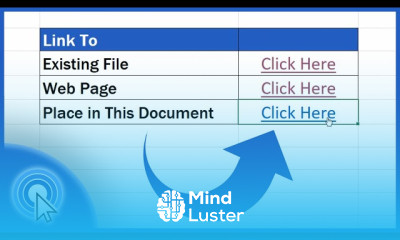
Creating hyperlinks in excel course, in this course we will delve into the essential techniques of creating hyperlinks in Excel, a powerful feature for enhancing your spreadsheets' interactivity and navigation. We will start with the basics, guiding you through the process of inserting hyperlinks to external websites, internal worksheet cells, and other documents. You will learn how to use the HYPERLINK function to create dynamic links based on cell values, making your spreadsheets more flexible and user-friendly. The course will also cover advanced topics such as linking to specific locations within large workbooks, creating email hyperlinks, and using named ranges for more efficient navigation. Practical examples and hands-on exercises will provide you with the experience needed to apply these techniques in real-world scenarios. By the end of this course, you will be proficient in creating and customizing hyperlinks, enabling you to design interactive and easily navigable Excel documents. Whether you are a beginner or looking to enhance your Excel skills, this course offers valuable insights and practical tips to elevate your proficiency. Join us and transform your Excel capabilities to new heights.
 To Register in Course you have to watch at least 30 Second of any lesson
 Create hyperlinks to external websites, internal cells, and documents in Excel for improved navigation and interactivity
Use the HYPERLINK function to generate dynamic, cell-based links for flexible spreadsheet navigation
Link to specific locations within large workbooks, enhancing user experience and data accessibility
Create email hyperlinks to facilitate quick communication directly from Excel spreadsheets
2 Lessons • 7 m total
You must have an
Account
on the platform.
Complete all lessons.
Watch at least 50% of Lesson Duration.
Get your Certificate free 🎉 !
4.0
(47 reviews)
Overall rating

Be the First One Review This Course
Good

..
Easy to understand and usefull
good

Creating hyperlinks in excel course, in this course we will delve into the essential techniques of creating hyperlinks in Excel, a powerful feature for enhancing your spreadsheets' interactivity and navigation. We will start with the basics, guiding you through the process of inserting hyperlinks to external websites, internal worksheet cells, and other documents. You will learn how to use the HYPERLINK function to create dynamic links based on cell values, making your spreadsheets more flexible and user-friendly. The course will also cover advanced topics such as linking to specific locations within large workbooks, creating email hyperlinks, and using named ranges for more efficient navigation. Practical examples and hands-on exercises will provide you with the experience needed to apply these techniques in real-world scenarios. By the end of this course, you will be proficient in creating and customizing hyperlinks, enabling you to design interactive and easily navigable Excel documents. Whether you are a beginner or looking to enhance your Excel skills, this course offers valuable insights and practical tips to elevate your proficiency. Join us and transform your Excel capabilities to new heights.
Experience the full power of Mindluster with Premium.
No distractions, just pure education.
Cancel your subscription anytime


















