




Ayyan
AMAZING
 (30 reviews)
 8 Lessons
 13 Students
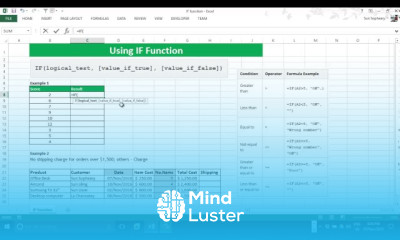
IF function in excel course, in this course we will learn about the IF function in Excel, an essential tool for performing logical tests and making decisions based on specific conditions. The IF function allows you to evaluate a condition and return one value if the condition is true and another value if it is false. You will start by understanding the basic syntax of the IF function and how to apply it to various scenarios, such as checking if a cell value meets a certain criteria or calculating different outcomes based on user inputs. The course will cover practical examples, including grading systems, sales commissions, and inventory management. You will also explore advanced techniques such as nested IF functions, which allow for multiple conditions to be evaluated, and combining the IF function with other functions like AND, OR, and VLOOKUP for more complex logical tests. Hands-on exercises will provide practical experience, ensuring you can confidently use the IF function to solve real-world problems. By the end of this course, you will be proficient in using the IF function in Excel, enabling you to enhance your data analysis, reporting, and decision-making processes. Whether you are a beginner or looking to refine your skills, this course will equip you with the knowledge and tools to master the IF function in Excel, improving your productivity and analytical capabilities.
 To Register in Course you have to watch at least 30 Second of any lesson
 Master how to create and apply IF functions for logical decision-making in Excel
Implement nested IF statements to handle multiple conditions effectively
Combine IF with AND, OR, and VLOOKUP functions for complex data analysis
Use IF functions to automate grading, sales commissions, and inventory calculations
Troubleshoot common errors in IF formulas to ensure accurate results
Enhance data reporting and decision-making skills with practical Excel IF function applications
8 Lessons • 37 m total
You must have an
Account
on the platform.
Complete all lessons.
Watch at least 50% of Lesson Duration.
Get your Certificate free 🎉 !
4.1
(30 reviews)
Overall rating

Be the First One Review This Course
AMAZING
good for basic
Good
good

IF function in excel course, in this course we will learn about the IF function in Excel, an essential tool for performing logical tests and making decisions based on specific conditions. The IF function allows you to evaluate a condition and return one value if the condition is true and another value if it is false. You will start by understanding the basic syntax of the IF function and how to apply it to various scenarios, such as checking if a cell value meets a certain criteria or calculating different outcomes based on user inputs. The course will cover practical examples, including grading systems, sales commissions, and inventory management. You will also explore advanced techniques such as nested IF functions, which allow for multiple conditions to be evaluated, and combining the IF function with other functions like AND, OR, and VLOOKUP for more complex logical tests. Hands-on exercises will provide practical experience, ensuring you can confidently use the IF function to solve real-world problems. By the end of this course, you will be proficient in using the IF function in Excel, enabling you to enhance your data analysis, reporting, and decision-making processes. Whether you are a beginner or looking to refine your skills, this course will equip you with the knowledge and tools to master the IF function in Excel, improving your productivity and analytical capabilities.
Experience the full power of Mindluster with Premium.
No distractions, just pure education.
Cancel your subscription anytime
















