


Nora_taallah
..
 (5 reviews)
 3 Lessons
 15 Students
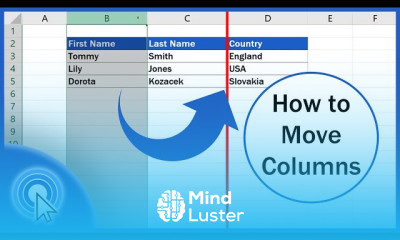
Moving columns in excel course, in this course we will learn about moving columns in Excel, a fundamental skill for organizing and managing your data efficiently. Moving columns allows you to rearrange the layout of your spreadsheet, making it easier to read, analyze, and present your data. You will start by understanding the basics of column selection and the different methods available for moving columns. We will guide you through the step-by-step process of dragging and dropping columns to a new location, using the cut and insert method, and leveraging Excel's built-in features for more advanced column management. The course will cover best practices for moving columns without disrupting the data integrity, including how to handle merged cells, formulas, and data references. You will also learn how to use keyboard shortcuts to speed up the process and ensure a smooth workflow. Hands-on exercises will provide practical experience, allowing you to confidently apply these techniques to your own workbooks. By the end of this course, you will be proficient in moving columns in Excel, enabling you to create well-organized and professional-looking spreadsheets. Whether you are preparing reports, analyzing data, or simply improving the layout of your documents, this course will equip you with the knowledge and tools to master column movement in Excel, enhancing your productivity and data management capabilities.
 To Register in Course you have to watch at least 30 Second of any lesson
 Master moving columns in Excel using drag-and-drop, cut-and-insert, and keyboard shortcuts for efficient data organization
Apply best practices to move columns without disrupting formulas, data references, or merged cells in Excel spreadsheets
Utilize Excel’s built-in features to rearrange columns accurately, maintaining data integrity and layout consistency
Enhance productivity by confidently managing column layout for reports, data analysis, and professional spreadsheet presentation
3 Lessons • 6 m total
You must have an
Account
on the platform.
Complete all lessons.
Watch at least 50% of Lesson Duration.
Get your Certificate free 🎉 !
4.2
(5 reviews)
Overall rating

Be the First One Review This Course
..
Good
Good
Good
Excellent
Good
Amazing
Amazing
Very nice and intresting
Amazing Course
very good

Moving columns in excel course, in this course we will learn about moving columns in Excel, a fundamental skill for organizing and managing your data efficiently. Moving columns allows you to rearrange the layout of your spreadsheet, making it easier to read, analyze, and present your data. You will start by understanding the basics of column selection and the different methods available for moving columns. We will guide you through the step-by-step process of dragging and dropping columns to a new location, using the cut and insert method, and leveraging Excel's built-in features for more advanced column management. The course will cover best practices for moving columns without disrupting the data integrity, including how to handle merged cells, formulas, and data references. You will also learn how to use keyboard shortcuts to speed up the process and ensure a smooth workflow. Hands-on exercises will provide practical experience, allowing you to confidently apply these techniques to your own workbooks. By the end of this course, you will be proficient in moving columns in Excel, enabling you to create well-organized and professional-looking spreadsheets. Whether you are preparing reports, analyzing data, or simply improving the layout of your documents, this course will equip you with the knowledge and tools to master column movement in Excel, enhancing your productivity and data management capabilities.
Experience the full power of Mindluster with Premium.
No distractions, just pure education.
Cancel your subscription anytime


















