


J.sivalinga krishnan
J
 (184 reviews)
 2 Lessons
 9 Students
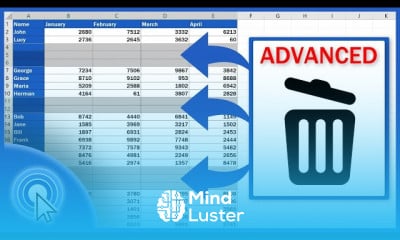
Removing blank rows in excel course, in this course we will learn about removing blank rows in Excel, a crucial task for maintaining clean and organized data. Blank rows can disrupt data analysis, cause errors in calculations, and make your spreadsheets look unprofessional. You will start by understanding the basics of identifying and selecting blank rows manually and using Excel's built-in features to streamline the process. The course will guide you through various methods of removing blank rows, including using the "Go To Special" feature, sorting and filtering data, and applying advanced techniques with VBA (Visual Basic for Applications) for automation. We will also cover how to handle large datasets efficiently and ensure data integrity during the removal process. Hands-on exercises will provide practical experience, allowing you to apply these techniques confidently to your own spreadsheets. By the end of this course, you will be proficient in removing blank rows in Excel, ensuring your data is clean, accurate, and ready for analysis. Whether you are a beginner or looking to refine your skills, this course will equip you with the knowledge and tools to master blank row removal in Excel, improving your overall productivity and data management capabilities.
 To Register in Course you have to watch at least 30 Second of any lesson
 Identify blank rows manually and efficiently in Excel using selection techniques and filters
Apply Excel's "Go To Special" feature to locate and remove blank rows quickly and accurately
Utilize sorting and filtering methods to eliminate blank rows in large datasets effectively
Automate blank row removal with VBA macros to enhance productivity and manage extensive spreadsheets
2 Lessons • 6 m total
You must have an
Account
on the platform.
Complete all lessons.
Watch at least 50% of Lesson Duration.
Get your Certificate free 🎉 !
4.2
(184 reviews)
Overall rating

Be the First One Review This Course
J

Good
..

..
gg

excelent class

Removing blank rows in excel course, in this course we will learn about removing blank rows in Excel, a crucial task for maintaining clean and organized data. Blank rows can disrupt data analysis, cause errors in calculations, and make your spreadsheets look unprofessional. You will start by understanding the basics of identifying and selecting blank rows manually and using Excel's built-in features to streamline the process. The course will guide you through various methods of removing blank rows, including using the "Go To Special" feature, sorting and filtering data, and applying advanced techniques with VBA (Visual Basic for Applications) for automation. We will also cover how to handle large datasets efficiently and ensure data integrity during the removal process. Hands-on exercises will provide practical experience, allowing you to apply these techniques confidently to your own spreadsheets. By the end of this course, you will be proficient in removing blank rows in Excel, ensuring your data is clean, accurate, and ready for analysis. Whether you are a beginner or looking to refine your skills, this course will equip you with the knowledge and tools to master blank row removal in Excel, improving your overall productivity and data management capabilities.
Experience the full power of Mindluster with Premium.
No distractions, just pure education.
Cancel your subscription anytime


















