Excel column insertion shortcut essentials Course

 (135 reviews)
-
 11 Lessons
-
 4 Students
- Certificate of completion


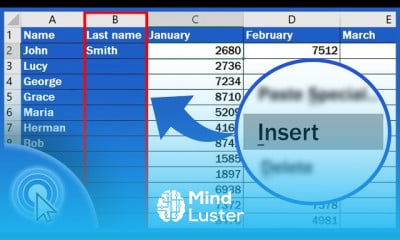
Excel column insertion shortcut course, in this course we will learn about the Excel column insertion shortcut, a valuable technique that enhances your efficiency when working with spreadsheets. Inserting columns quickly is essential for managing and organizing data, especially in large datasets. You will start by understanding the basics of selecting columns and using the keyboard shortcuts to insert new columns seamlessly. The primary shortcut for inserting a new column is Ctrl + Shift + + (plus sign), which allows you to insert a column to the left of the selected column instantly. Additionally, we will cover alternative methods, such as using the Alt + I then C sequence for older versions of Excel. The course will guide you through practical scenarios where inserting columns is necessary, such as adding new data fields, organizing information, and restructuring spreadsheets for better readability. You will learn how to use these shortcuts efficiently to avoid disrupting your workflow and maintain data integrity. Hands-on exercises will provide practical experience, ensuring you can confidently apply these shortcuts to your own workbooks. By the end of this course, you will be proficient in using the Excel column insertion shortcut, enabling you to enhance your productivity and streamline your data management processes. Whether you are a beginner or looking to refine your skills, this course will equip you with the knowledge and tools to master column insertion shortcuts in Excel, making your work faster and more efficient.
 To Register in Course you have to watch at least 30 Second of any lesson
What You'll Learn
-
 Master Excel column insertion shortcuts to increase spreadsheet editing speed and efficiency
-
Apply keyboard shortcuts like Ctrl + Shift + + for seamless column insertion in large datasets
-
Utilize alternative methods such as Alt + I, then C, for inserting columns in different Excel versions
-
Identify practical scenarios for inserting columns to improve data organization and readability
-
Navigate Excel interfaces confidently to select and insert columns without disrupting workflow
-
Implement best practices for maintaining data integrity while restructuring spreadsheets
-
Develop hands-on skills through exercises to insert columns quickly and accurately
-
Enhance productivity by integrating column insertion shortcuts into daily Excel data management tasks
Course Content
11 Lessons • 32 m total

How to Insert Column in Excel
How to Delete Columns in Excel
How to Hide Columns in Excel
How to Change the Width of a Column in Excel
How to Group Rows in Excel Automated and Manual Way
How to Unhide Columns in Excel
How to Resize Multiple Columns in Excel Three Most Common Ways
How to Make All Cells the Same Size in Excel Quick and Easy
How to Transpose Data in Excel The Simplest Way
Shortcut Key to Insert a Column in Excel Excel Shortcuts
How to Merge Two Columns in Excel Quick and Easy
How to Get The Certificate
-
You must have an
Account
on the platform.
-
Complete all lessons.
-
Watch at least 50% of Lesson Duration.
-
Get your Certificate free 🎉 !
4.7
(135 reviews)
Overall rating

Reviews
Be the First One Review This Course
Related Courses
View All


















Excel column insertion shortcut essentials Course Description
Excel column insertion shortcut course, in this course we will learn about the Excel column insertion shortcut, a valuable technique that enhances your efficiency when working with spreadsheets. Inserting columns quickly is essential for managing and organizing data, especially in large datasets. You will start by understanding the basics of selecting columns and using the keyboard shortcuts to insert new columns seamlessly. The primary shortcut for inserting a new column is Ctrl + Shift + + (plus sign), which allows you to insert a column to the left of the selected column instantly. Additionally, we will cover alternative methods, such as using the Alt + I then C sequence for older versions of Excel. The course will guide you through practical scenarios where inserting columns is necessary, such as adding new data fields, organizing information, and restructuring spreadsheets for better readability. You will learn how to use these shortcuts efficiently to avoid disrupting your workflow and maintain data integrity. Hands-on exercises will provide practical experience, ensuring you can confidently apply these shortcuts to your own workbooks. By the end of this course, you will be proficient in using the Excel column insertion shortcut, enabling you to enhance your productivity and streamline your data management processes. Whether you are a beginner or looking to refine your skills, this course will equip you with the knowledge and tools to master column insertion shortcuts in Excel, making your work faster and more efficient.
Focus on Learning, Not Ads
Experience the full power of Mindluster with Premium.
No distractions, just pure education.
Cancel your subscription anytime
