

Ranjani Ranjani
Nice
 (103 reviews)
 2 Lessons
 11 Students
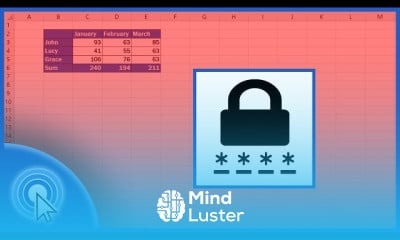
Protecting and unprotecting excel course, in this course we will learn about protecting and unprotecting Excel sheets, a crucial skill for ensuring data security and integrity. Protecting Excel sheets helps prevent unauthorized modifications, making it essential when sharing workbooks or handling sensitive information. You will start by understanding the basics of sheet protection, including how to apply password protection and set permissions to allow specific actions such as selecting or formatting cells. The course will guide you through the step-by-step process of protecting a sheet, including accessing the "Review" tab, selecting "Protect Sheet," and configuring the desired settings. You will also learn advanced techniques for customizing protection, such as allowing users to edit certain ranges while protecting the rest of the sheet. Additionally, the course will cover how to unprotect sheets, either by simply removing protection or by entering a password if the sheet is password-protected. Practical exercises will provide hands-on experience, allowing you to apply these techniques to your own spreadsheets confidently. We will explore common scenarios where sheet protection is beneficial, such as collaborative projects, financial data management, and maintaining data integrity in complex workbooks.
 To Register in Course you have to watch at least 30 Second of any lesson
 Master protecting Excel sheets with passwords to secure sensitive data and prevent unauthorized edits
Configure sheet permissions in Excel to allow specific actions like cell selection and formatting
Apply advanced protection techniques, including editing specific ranges while safeguarding the rest of the sheet
Unprotect Excel sheets efficiently by removing protection or entering passwords to maintain data integrity
2 Lessons • 5 m total
You must have an
Account
on the platform.
Complete all lessons.
Watch at least 50% of Lesson Duration.
Get your Certificate free 🎉 !
4.2
(103 reviews)
Overall rating

Be the First One Review This Course
Nice

good

It's awesome
Goooooood
..
good

Protecting and unprotecting excel course, in this course we will learn about protecting and unprotecting Excel sheets, a crucial skill for ensuring data security and integrity. Protecting Excel sheets helps prevent unauthorized modifications, making it essential when sharing workbooks or handling sensitive information. You will start by understanding the basics of sheet protection, including how to apply password protection and set permissions to allow specific actions such as selecting or formatting cells. The course will guide you through the step-by-step process of protecting a sheet, including accessing the "Review" tab, selecting "Protect Sheet," and configuring the desired settings. You will also learn advanced techniques for customizing protection, such as allowing users to edit certain ranges while protecting the rest of the sheet. Additionally, the course will cover how to unprotect sheets, either by simply removing protection or by entering a password if the sheet is password-protected. Practical exercises will provide hands-on experience, allowing you to apply these techniques to your own spreadsheets confidently. We will explore common scenarios where sheet protection is beneficial, such as collaborative projects, financial data management, and maintaining data integrity in complex workbooks.
Experience the full power of Mindluster with Premium.
No distractions, just pure education.
Cancel your subscription anytime


















