


AJITKUMAR MAKWANA
best
 (152 reviews)
 8 Lessons
 1 Students
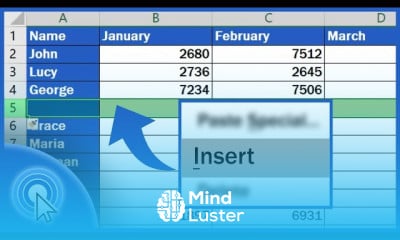
Inserting rows in excel course, in this course we will learn about the essential skill of inserting rows in Excel, a fundamental function that enhances data organization and manipulation. Whether you are working on simple data lists or complex spreadsheets, knowing how to efficiently insert rows can save time and improve productivity. We will cover various methods, including using the right-click menu, ribbon options, and keyboard shortcuts. The course will also explore tips and tricks to manage your data effectively, ensuring that you can seamlessly add rows without disrupting your existing data. Additionally, we will delve into scenarios where inserting rows is particularly useful, such as when updating data sets, organizing information, and enhancing the readability of your spreadsheets. By the end of this course, you will be proficient in inserting rows in Excel, enabling you to handle your data with greater ease and efficiency. Whether you are a beginner or an experienced user looking to sharpen your skills, this course provides the knowledge and practice needed to master this crucial Excel function.
 To Register in Course you have to watch at least 30 Second of any lesson
 Master how to insert rows in Excel using right-click, ribbon, and keyboard shortcuts for efficient data management
Apply row insertion techniques to organize and update data sets in Excel spreadsheets effectively
Utilize tips and tricks to insert rows without disrupting existing data, ensuring data integrity and accuracy
Identify scenarios where inserting rows improves spreadsheet readability and data presentation in Excel
Navigate Excel interfaces confidently to insert rows in simple and complex spreadsheets for better data analysis
Enhance productivity by mastering multiple methods of inserting rows, including quick keyboard commands
8 Lessons • 21 m total
You must have an
Account
on the platform.
Complete all lessons.
Watch at least 50% of Lesson Duration.
Get your Certificate free 🎉 !
4.6
(152 reviews)
Overall rating

Be the First One Review This Course
best

Inserting rows in excel course, in this course we will learn about the essential skill of inserting rows in Excel, a fundamental function that enhances data organization and manipulation. Whether you are working on simple data lists or complex spreadsheets, knowing how to efficiently insert rows can save time and improve productivity. We will cover various methods, including using the right-click menu, ribbon options, and keyboard shortcuts. The course will also explore tips and tricks to manage your data effectively, ensuring that you can seamlessly add rows without disrupting your existing data. Additionally, we will delve into scenarios where inserting rows is particularly useful, such as when updating data sets, organizing information, and enhancing the readability of your spreadsheets. By the end of this course, you will be proficient in inserting rows in Excel, enabling you to handle your data with greater ease and efficiency. Whether you are a beginner or an experienced user looking to sharpen your skills, this course provides the knowledge and practice needed to master this crucial Excel function.
Experience the full power of Mindluster with Premium.
No distractions, just pure education.
Cancel your subscription anytime


















