

Ranjani Ranjani
Good
 (101 reviews)
 3 Lessons
 10 Students
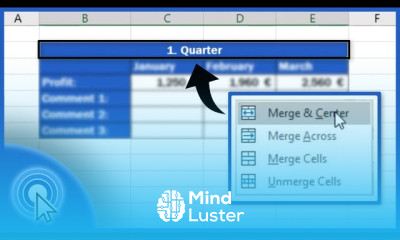
Changing text direction in excel course, in this course we will learn about changing text direction in Excel, a useful feature for enhancing the readability and presentation of your data. Changing text direction can help you better display headers, labels, and other text elements, especially when working with complex tables and charts. We will start with the basics of text alignment and orientation, covering horizontal and vertical text adjustments. You'll learn how to rotate text to various angles, including 45 degrees and vertical text, and how to wrap text within cells to optimize space. The course will also explore practical applications, such as creating professional-looking reports and improving data visualization. We will cover different methods to change text direction, including using the Format Cells dialog box, the Alignment tab, and quick access toolbar options. Additionally, you will learn tips and tricks to manage text direction effectively, ensuring your spreadsheets are both functional and visually appealing. By the end of this course, you will be proficient in changing text direction in Excel, enabling you to present your data more effectively. Whether you are a beginner or an advanced user, this course provides comprehensive instruction and practical insights to master text direction in Excel, making your data presentation more dynamic and organized.
 To Register in Course you have to watch at least 30 Second of any lesson
 Master changing text direction in Excel using Format Cells, Alignment tab, and quick access toolbar options for improved data presentation
3 Lessons • 8 m total
You must have an
Account
on the platform.
Complete all lessons.
Watch at least 50% of Lesson Duration.
Get your Certificate free 🎉 !
4.0
(101 reviews)
Overall rating

Be the First One Review This Course
Good

Very nice
.
Gd

Good
best

Changing text direction in excel course, in this course we will learn about changing text direction in Excel, a useful feature for enhancing the readability and presentation of your data. Changing text direction can help you better display headers, labels, and other text elements, especially when working with complex tables and charts. We will start with the basics of text alignment and orientation, covering horizontal and vertical text adjustments. You'll learn how to rotate text to various angles, including 45 degrees and vertical text, and how to wrap text within cells to optimize space. The course will also explore practical applications, such as creating professional-looking reports and improving data visualization. We will cover different methods to change text direction, including using the Format Cells dialog box, the Alignment tab, and quick access toolbar options. Additionally, you will learn tips and tricks to manage text direction effectively, ensuring your spreadsheets are both functional and visually appealing. By the end of this course, you will be proficient in changing text direction in Excel, enabling you to present your data more effectively. Whether you are a beginner or an advanced user, this course provides comprehensive instruction and practical insights to master text direction in Excel, making your data presentation more dynamic and organized.
Experience the full power of Mindluster with Premium.
No distractions, just pure education.
Cancel your subscription anytime


















