

Saravani Saravani
good
 (28 reviews)
 2 Lessons
 62 Students
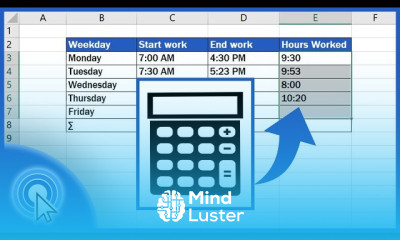
Calculating work hours in excel course, in this course we will learn about calculating work hours in Excel, an essential skill for tracking employee time, managing project hours, and ensuring accurate payroll. Calculating work hours in Excel can greatly improve your efficiency and accuracy in time management. We will start by exploring the basics of time formatting, understanding how Excel handles time values, and learning how to enter and display time correctly. You'll discover how to perform various time calculations, such as adding and subtracting time, calculating total hours worked, and handling overnight shifts. The course will cover key functions like SUM, HOUR, MINUTE, and TEXT, along with advanced functions like IF and NETWORKDAYS for more complex scenarios. We will also delve into practical applications, such as creating timesheets, managing employee schedules, and calculating overtime. Additionally, you will learn how to use conditional formatting to highlight specific time-related conditions and create dynamic charts for visualizing work hours data. By the end of this course, you will be proficient in calculating work hours in Excel, enabling you to handle any time-tracking task with ease. Whether you're a beginner or an experienced user, this course provides comprehensive instruction and practical tips to master work hours calculations in Excel, making your data management more efficient and accurate.
 To Register in Course you have to watch at least 30 Second of any lesson
 Master how to format and display time in Excel for accurate work hours calculation and time tracking
Apply Excel functions like SUM, HOUR, MINUTE, and TEXT to perform precise work hours calculations and manage timesheets
Utilize IF and NETWORKDAYS functions to handle complex scheduling scenarios, overtime, and overnight shifts effectively
Create visual data representations with charts and use conditional formatting to highlight key work hours and time-related conditions
2 Lessons • 7 m total
You must have an
Account
on the platform.
Complete all lessons.
Watch at least 50% of Lesson Duration.
Get your Certificate free 🎉 !
4.5
(28 reviews)
Overall rating

Be the First One Review This Course
good

Good 👍

good

good

Good

Good

Good

Very good

Great course for biginners the explanations were simple and helpful

Great

Good
Very helpful

Calculating work hours in excel course, in this course we will learn about calculating work hours in Excel, an essential skill for tracking employee time, managing project hours, and ensuring accurate payroll. Calculating work hours in Excel can greatly improve your efficiency and accuracy in time management. We will start by exploring the basics of time formatting, understanding how Excel handles time values, and learning how to enter and display time correctly. You'll discover how to perform various time calculations, such as adding and subtracting time, calculating total hours worked, and handling overnight shifts. The course will cover key functions like SUM, HOUR, MINUTE, and TEXT, along with advanced functions like IF and NETWORKDAYS for more complex scenarios. We will also delve into practical applications, such as creating timesheets, managing employee schedules, and calculating overtime. Additionally, you will learn how to use conditional formatting to highlight specific time-related conditions and create dynamic charts for visualizing work hours data. By the end of this course, you will be proficient in calculating work hours in Excel, enabling you to handle any time-tracking task with ease. Whether you're a beginner or an experienced user, this course provides comprehensive instruction and practical tips to master work hours calculations in Excel, making your data management more efficient and accurate.
Experience the full power of Mindluster with Premium.
No distractions, just pure education.
Cancel your subscription anytime


















