

Ranjani Ranjani
Good
 (4 reviews)
 2 Lessons
 13 Students
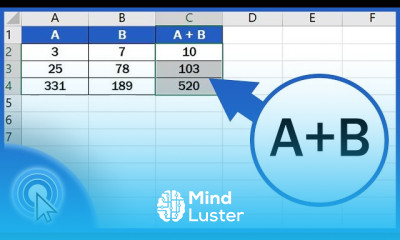
Excel for subtracting numbers course, in this course we will learn about editing drop-down lists in Excel, an essential skill for maintaining accurate and efficient data entry. Drop-down lists simplify data input by providing predefined options, reducing errors, and ensuring consistency. We will start by revisiting the basics of creating drop-down lists using the Data Validation feature. You will learn how to add new items, modify existing ones, and remove unwanted entries from your drop-down lists. We will delve into advanced techniques, such as linking drop-down lists to dynamic data ranges, allowing your lists to update automatically when the source data changes. You will also explore the use of named ranges to make your drop-down lists more flexible and easier to manage. Additionally, the course will cover error handling and the application of conditional formatting to enhance user experience by highlighting invalid entries or changes. Practical applications include creating and updating data entry forms, interactive spreadsheets, and comprehensive data analysis reports. By the end of this course, you will be proficient in editing drop-down lists in Excel, enabling you to manage and update your data efficiently. Whether you are a beginner or an experienced user, this course offers comprehensive instruction and practical tips to master drop-down list editing in Excel, enhancing your data management capabilities and improving your workflow efficiency.
 To Register in Course you have to watch at least 30 Second of any lesson
 Create and modify drop-down lists in Excel for accurate data entry and validation using Data Validation tools
Link drop-down lists to dynamic data ranges for automatic updates and real-time data management
Utilize named ranges to simplify drop-down list management and improve spreadsheet flexibility
Apply error handling and conditional formatting to enhance user experience and ensure data integrity
2 Lessons • 5 m total
You must have an
Account
on the platform.
Complete all lessons.
Watch at least 50% of Lesson Duration.
Get your Certificate free 🎉 !
4.8
(4 reviews)
Overall rating

Be the First One Review This Course
Good

Very well. Your explication is correct an informative.

..
Excellent
I like the course.

Good

I understand a leason

Excel for subtracting numbers course, in this course we will learn about editing drop-down lists in Excel, an essential skill for maintaining accurate and efficient data entry. Drop-down lists simplify data input by providing predefined options, reducing errors, and ensuring consistency. We will start by revisiting the basics of creating drop-down lists using the Data Validation feature. You will learn how to add new items, modify existing ones, and remove unwanted entries from your drop-down lists. We will delve into advanced techniques, such as linking drop-down lists to dynamic data ranges, allowing your lists to update automatically when the source data changes. You will also explore the use of named ranges to make your drop-down lists more flexible and easier to manage. Additionally, the course will cover error handling and the application of conditional formatting to enhance user experience by highlighting invalid entries or changes. Practical applications include creating and updating data entry forms, interactive spreadsheets, and comprehensive data analysis reports. By the end of this course, you will be proficient in editing drop-down lists in Excel, enabling you to manage and update your data efficiently. Whether you are a beginner or an experienced user, this course offers comprehensive instruction and practical tips to master drop-down list editing in Excel, enhancing your data management capabilities and improving your workflow efficiency.
Experience the full power of Mindluster with Premium.
No distractions, just pure education.
Cancel your subscription anytime


















