

Ranjani Ranjani
Good
 (96 reviews)
 3 Lessons
 6 Students
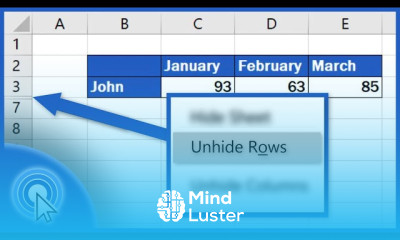
Hiding rows in excel course, in this course we will learn about hiding rows in Excel, an essential skill for managing and organizing data effectively. Hiding rows can help you streamline your worksheets, focus on specific data, and maintain a clean and professional appearance. We will start with the basics, such as manually hiding and unhiding rows using the right-click context menu and the Excel ribbon. You will learn how to hide single rows, multiple rows, and even non-contiguous rows. We will delve into advanced techniques, including using conditional formatting to automatically hide rows based on specific criteria and utilizing VBA (Visual Basic for Applications) to create macros for automated row hiding and unhiding. Additionally, you will explore how to use filters to hide rows temporarily and how to protect your hidden rows from being unhidden by others. The course will also cover practical applications, such as preparing reports, creating interactive dashboards, and managing large datasets. You will learn how to ensure that hidden rows do not affect your calculations and data integrity. By the end of this course, you will be proficient in hiding and managing rows in Excel, allowing you to maintain a well-organized and efficient worksheet.
 To Register in Course you have to watch at least 30 Second of any lesson
 Master how to manually hide and unhide rows in Excel for data organization and worksheet clarity
Apply conditional formatting and VBA macros to automate hiding rows based on specific data criteria
Use filters effectively to temporarily hide rows and manage large datasets efficiently
Implement techniques to protect hidden rows, ensuring data privacy and worksheet integrity
3 Lessons • 7 m total
You must have an
Account
on the platform.
Complete all lessons.
Watch at least 50% of Lesson Duration.
Get your Certificate free 🎉 !
4.4
(96 reviews)
Overall rating

Be the First One Review This Course
Good

Super
. .

Good

Hiding rows in excel course, in this course we will learn about hiding rows in Excel, an essential skill for managing and organizing data effectively. Hiding rows can help you streamline your worksheets, focus on specific data, and maintain a clean and professional appearance. We will start with the basics, such as manually hiding and unhiding rows using the right-click context menu and the Excel ribbon. You will learn how to hide single rows, multiple rows, and even non-contiguous rows. We will delve into advanced techniques, including using conditional formatting to automatically hide rows based on specific criteria and utilizing VBA (Visual Basic for Applications) to create macros for automated row hiding and unhiding. Additionally, you will explore how to use filters to hide rows temporarily and how to protect your hidden rows from being unhidden by others. The course will also cover practical applications, such as preparing reports, creating interactive dashboards, and managing large datasets. You will learn how to ensure that hidden rows do not affect your calculations and data integrity. By the end of this course, you will be proficient in hiding and managing rows in Excel, allowing you to maintain a well-organized and efficient worksheet.
Experience the full power of Mindluster with Premium.
No distractions, just pure education.
Cancel your subscription anytime


















