excel conditional formatting basics Course

 (49 reviews)
-
 4 Lessons
-
 10 Students
- Certificate of completion


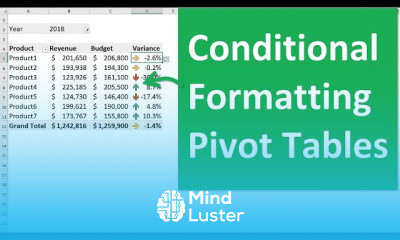
excel conditional formatting basics course, in this course we will explore the fundamentals of Excel Conditional Formatting, a powerful feature that allows you to automatically apply formatting to cells based on their values. We will start by understanding the basic principles and uses of conditional formatting, helping you to highlight important data, identify trends, and make your spreadsheets more visually appealing and informative. You’ll learn how to apply preset formatting options such as color scales, data bars, and icon sets, which provide immediate visual context to your data. We will guide you through the process of creating custom rules to format cells based on specific conditions, such as highlighting cells that contain certain text, dates, or numerical values. Additionally, you’ll discover how to use formulas in conditional formatting to create more complex and tailored formatting rules. Practical examples and hands-on exercises will reinforce your learning, allowing you to apply these techniques to real-world data sets. By the end of this course, you will be proficient in using Excel’s conditional formatting tools to enhance your data analysis and presentation. Whether you're a beginner looking to grasp the basics or an experienced user aiming to refine your skills.
 To Register in Course you have to watch at least 30 Second of any lesson
What You'll Learn
-
 Apply preset conditional formatting options like color scales, data bars, and icon sets to enhance data visualization in Excel
-
Create custom conditional formatting rules based on specific text, date, or numerical criteria for targeted data highlighting
-
Use formulas within conditional formatting to develop complex, tailored formatting rules for advanced data analysis
-
Implement practical exercises to reinforce skills in applying conditional formatting for improved data presentation and insights
Course Content
4 Lessons • 27 m total

How to Get The Certificate
-
You must have an
Account
on the platform.
-
Complete all lessons.
-
Watch at least 50% of Lesson Duration.
-
Get your Certificate free 🎉 !
4.2
(49 reviews)
Overall rating

Reviews
Be the First One Review This Course
Related Courses
View All


















excel conditional formatting basics Course Description
excel conditional formatting basics course, in this course we will explore the fundamentals of Excel Conditional Formatting, a powerful feature that allows you to automatically apply formatting to cells based on their values. We will start by understanding the basic principles and uses of conditional formatting, helping you to highlight important data, identify trends, and make your spreadsheets more visually appealing and informative. You’ll learn how to apply preset formatting options such as color scales, data bars, and icon sets, which provide immediate visual context to your data. We will guide you through the process of creating custom rules to format cells based on specific conditions, such as highlighting cells that contain certain text, dates, or numerical values. Additionally, you’ll discover how to use formulas in conditional formatting to create more complex and tailored formatting rules. Practical examples and hands-on exercises will reinforce your learning, allowing you to apply these techniques to real-world data sets. By the end of this course, you will be proficient in using Excel’s conditional formatting tools to enhance your data analysis and presentation. Whether you're a beginner looking to grasp the basics or an experienced user aiming to refine your skills.
Focus on Learning, Not Ads
Experience the full power of Mindluster with Premium.
No distractions, just pure education.
Cancel your subscription anytime
