


Omer Morshid Safi
It was very nice
 (124 reviews)
 5 Lessons
 7 Students
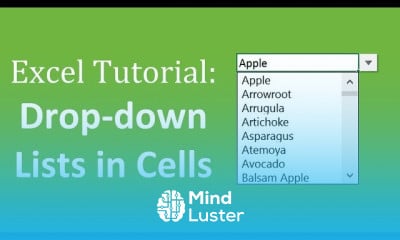
Drop down lists in excel course, in this course we will learn about the Drop Down Lists in Excel, a powerful feature that simplifies data entry and ensures accuracy. This course is designed for anyone looking to enhance their Excel skills by learning how to create, customize, and manage drop down lists effectively. We will start with the basics, including an introduction to drop down lists and their benefits. You'll learn how to use the Data Validation tool to create simple drop down lists, ensuring that users can only select from predefined options. This not only speeds up data entry but also reduces errors and maintains data consistency. Next, we will explore more advanced techniques, such as creating dynamic drop down lists that update automatically when new data is added, and dependent drop down lists that change based on the selection of another list. You will also learn how to integrate drop down lists with conditional formatting to enhance the visual appeal and functionality of your spreadsheets. The course will cover practical examples and hands-on exercises to reinforce your understanding and provide you with the skills needed to apply drop down lists in real-world scenarios. By the end of this course, you will be proficient in using drop down lists to create interactive and user-friendly Excel spreadsheets, whether for data entry forms, dashboards, or complex data analysis tasks. This course is suitable for beginners as well as intermediate users who want to improve their Excel efficiency and data management capabilities. Enhance your productivity and ensure data integrity with Drop Down Lists in Excel.
 To Register in Course you have to watch at least 30 Second of any lesson
 Create and customize basic drop down lists using Excel Data Validation tools for efficient data entry
Develop dynamic drop down lists that automatically update with new data entries for real-time accuracy
Design dependent drop down lists that change options based on previous selections to improve data filtering
Apply conditional formatting to drop down lists to enhance spreadsheet visual appeal and user experience
5 Lessons • 33 m total
 You must have an
Account
on the platform.
Complete all lessons.
Watch at least 50% of Lesson Duration.
Get your Certificate free 🎉 !
4.5
(124 reviews)
Overall rating

Be the First One Review This Course
It was very nice

good
Good

the course was relevant and great. thanks

Drop down lists in excel course, in this course we will learn about the Drop Down Lists in Excel, a powerful feature that simplifies data entry and ensures accuracy. This course is designed for anyone looking to enhance their Excel skills by learning how to create, customize, and manage drop down lists effectively. We will start with the basics, including an introduction to drop down lists and their benefits. You'll learn how to use the Data Validation tool to create simple drop down lists, ensuring that users can only select from predefined options. This not only speeds up data entry but also reduces errors and maintains data consistency. Next, we will explore more advanced techniques, such as creating dynamic drop down lists that update automatically when new data is added, and dependent drop down lists that change based on the selection of another list. You will also learn how to integrate drop down lists with conditional formatting to enhance the visual appeal and functionality of your spreadsheets. The course will cover practical examples and hands-on exercises to reinforce your understanding and provide you with the skills needed to apply drop down lists in real-world scenarios. By the end of this course, you will be proficient in using drop down lists to create interactive and user-friendly Excel spreadsheets, whether for data entry forms, dashboards, or complex data analysis tasks. This course is suitable for beginners as well as intermediate users who want to improve their Excel efficiency and data management capabilities. Enhance your productivity and ensure data integrity with Drop Down Lists in Excel.
Experience the full power of Mindluster with Premium.
No distractions, just pure education.
Cancel your subscription anytime


















