


Aamir Hussain
Thanks for expending us a great work & great time. thanks.
 (128 reviews)
 6 Lessons
 4 Students
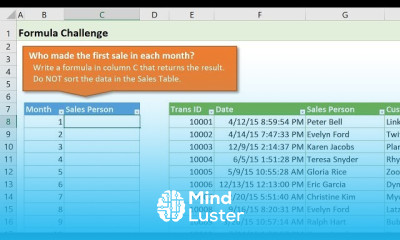
Excel for array formulas course, in this course we will learn about Excel for array formulas, a powerful tool for performing complex data analysis and calculations efficiently. Array formulas allow you to perform multiple calculations on a range of data in a single step, saving time and reducing the likelihood of errors. We will start by covering the basics, including how to create a simple array formula and how to use special keys to execute these formulas. You will learn how to apply array formulas to a range of cells and how to handle multi-dimensional data. We will delve into the use of built-in Excel functions like SUMPRODUCT and TRANSPOSE to enhance the performance of array formulas. Advanced techniques such as dynamic array formulas in Excel 365 will also be explored, allowing formulas to automatically expand to include changing data sets. This course will demonstrate how to use these tools to analyze large data sets, create detailed reports, and compare different data groups. Practical applications will include calculating weighted averages, conducting financial data analysis, and preparing dynamic reports. Additionally, you will learn how to write custom formulas using VBA to further increase the efficiency and capabilities of array formulas.
 To Register in Course you have to watch at least 30 Second of any lesson
 Master how to create and execute array formulas in Excel for efficient data analysis and calculations
Apply built-in functions like SUMPRODUCT and TRANSPOSE to enhance array formula performance in Excel
Utilize dynamic array formulas in Excel 365 to manage changing data sets and automate data expansion
Perform complex financial data analysis and calculate weighted averages using array formulas in Excel
Develop dynamic reports and compare data groups effectively with array formulas in Excel
Write custom VBA formulas to extend array formula capabilities and automate complex data tasks
6 Lessons • 46 m total
 You must have an
Account
on the platform.
Complete all lessons.
Watch at least 50% of Lesson Duration.
Get your Certificate free 🎉 !
4.0
(128 reviews)
Overall rating

Be the First One Review This Course
Thanks for expending us a great work & great time. thanks.

Excel for array formulas course, in this course we will learn about Excel for array formulas, a powerful tool for performing complex data analysis and calculations efficiently. Array formulas allow you to perform multiple calculations on a range of data in a single step, saving time and reducing the likelihood of errors. We will start by covering the basics, including how to create a simple array formula and how to use special keys to execute these formulas. You will learn how to apply array formulas to a range of cells and how to handle multi-dimensional data. We will delve into the use of built-in Excel functions like SUMPRODUCT and TRANSPOSE to enhance the performance of array formulas. Advanced techniques such as dynamic array formulas in Excel 365 will also be explored, allowing formulas to automatically expand to include changing data sets. This course will demonstrate how to use these tools to analyze large data sets, create detailed reports, and compare different data groups. Practical applications will include calculating weighted averages, conducting financial data analysis, and preparing dynamic reports. Additionally, you will learn how to write custom formulas using VBA to further increase the efficiency and capabilities of array formulas.
Experience the full power of Mindluster with Premium.
No distractions, just pure education.
Cancel your subscription anytime


















