


Dr.Ghvs Sarma
Good Content
 (145 reviews)
 8 Lessons
 5 Students
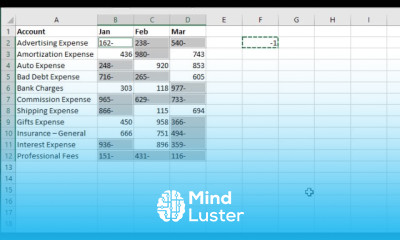
Running totals in excel tables coures, in this course we will learn about running totals in Excel tables, a vital skill for data analysis and tracking cumulative changes over time. Running totals allow you to see the progressive accumulation of values within a specific range, providing valuable insights into trends and patterns. We will start by covering the basics, including how to create an Excel table and input data. You will learn how to use fundamental formulas and functions to calculate running totals. For example, we will use the SUM function to compute running totals for each row in the table, enabling you to observe the continuous accumulation of values. We will also explore advanced techniques, such as using the SUMIFS function to calculate running totals based on multiple criteria and employing PivotTables to create dynamic analyses. You will learn how to create charts for running totals to visualize data trends effectively. Additionally, we will examine practical applications, including tracking sales, managing inventory, and analyzing financial data. You will learn how to customize tables and formulas to meet your specific needs and how to automatically update running totals when data is added or modified.
 To Register in Course you have to watch at least 30 Second of any lesson
 Create Excel tables and input data for accurate data analysis and tracking
Apply fundamental formulas like SUM to calculate running totals in Excel
Use SUMIFS function to compute conditional running totals based on multiple criteria
Develop dynamic PivotTables to analyze and visualize cumulative data trends
Create charts to effectively visualize running totals and data patterns
Customize tables and formulas for specific business needs like sales and inventory management
8 Lessons • 1 h 1 m total
 You must have an
Account
on the platform.
Complete all lessons.
Watch at least 50% of Lesson Duration.
Get your Certificate free 🎉 !
4.8
(145 reviews)
Overall rating

Be the First One Review This Course
Good Content

Running totals in excel tables coures, in this course we will learn about running totals in Excel tables, a vital skill for data analysis and tracking cumulative changes over time. Running totals allow you to see the progressive accumulation of values within a specific range, providing valuable insights into trends and patterns. We will start by covering the basics, including how to create an Excel table and input data. You will learn how to use fundamental formulas and functions to calculate running totals. For example, we will use the SUM function to compute running totals for each row in the table, enabling you to observe the continuous accumulation of values. We will also explore advanced techniques, such as using the SUMIFS function to calculate running totals based on multiple criteria and employing PivotTables to create dynamic analyses. You will learn how to create charts for running totals to visualize data trends effectively. Additionally, we will examine practical applications, including tracking sales, managing inventory, and analyzing financial data. You will learn how to customize tables and formulas to meet your specific needs and how to automatically update running totals when data is added or modified.
Experience the full power of Mindluster with Premium.
No distractions, just pure education.
Cancel your subscription anytime


















